Protect Rankings with SEO for Site Migrations: A Practical Guide
Getting SEO right during a site migration is one of those high-stakes, high-stress jobs. Get it wrong, and you can wave goodbye to years of hard-earned search traffic. A migration is not just a simple facelift; it is a fundamental change to your site's address, platform, or structure. Without a bulletproof SEO plan, all that equity you have built with Google can vanish overnight.
Why You Cannot Afford to Wing It
Think of a site migration as open-heart surgery for your website. Whether you are rebranding to a new domain, ditching your old CMS, or finally moving to HTTPS, the potential for an SEO catastrophe is huge. One missed step can tank your rankings, sending your organic traffic—and revenue—off a cliff.
The problem is simple: Google has spent years learning your site. It knows your URLs, understands your content structure, and trusts your authority. A migration throws that entire blueprint out the window.
The Real-World Risks of a Botched Migration
Ignoring SEO during a migration is not a gamble; it is a guaranteed way to lose. If you do not have a solid strategy in place, you are walking straight into a minefield.
- Massive Traffic Plummets: It is not an exaggeration. We have seen businesses lose over 50% of their organic traffic almost instantly after a poorly handled migration. This is not a small dip; it is a body blow that can take months, sometimes years, to recover from.
- Wiped-Out Link Equity: Your backlinks are the bedrock of your site's authority. If you fail to redirect old URLs to their new homes correctly, the value from those links disappears. It is like starting from scratch in Google's eyes.
- A Terrible User Experience: A bad migration creates a mess of 404 errors and broken internal links. It is frustrating for visitors, skyrockets your bounce rate, and screams to search engines that your site is unreliable and low-quality.
A site migration is not just a tech task; it is a strategic business decision. Treating it like a simple 'lift and shift' without deep SEO involvement is like moving house but not telling anyone your new address—you cannot expect visitors to find you.
Turning a High-Risk Job into a Huge Opportunity
It is not all doom and gloom. Handled correctly, a migration can be a massive win for your online presence. It is a rare chance to clear out old technical debt, tighten up your site architecture, improve page speed, and seriously refine the user experience.
For instance, moving from a clunky, outdated CMS to something more modern can unlock huge performance gains you could only dream of before. Restructuring your content as part of the move can also sharpen your topical authority, making your site far easier for both people and search crawlers to navigate.
The key is to stop seeing it as a threat and start seeing it as a chance to build a much stronger foundation for the future.
Pre-Migration Planning and SEO Auditing
Get this wrong, and you can kill a business overnight. Get it right, and nobody will even notice it happened. A successful site migration is 90% preparation and 10% execution . The real work, the stuff that prevents disaster, happens long before you even think about hitting the launch button.
It all starts with a deep, uncompromising audit of your current site. This is not just about ticking boxes; it is about creating a bulletproof blueprint of your existing digital footprint to safeguard every single asset you have spent years building.
Without this, you are flying blind. Every URL, every piece of metadata, and every valuable backlink needs to be accounted for. You need to meticulously document your current keyword rankings, organic traffic levels, and conversion rates. These benchmarks become your single source of truth, allowing you to prove success later on and quickly spot problems if they arise.
The journey has two clear paths: meticulous planning leads to growth, but a single misstep can lead to catastrophe.
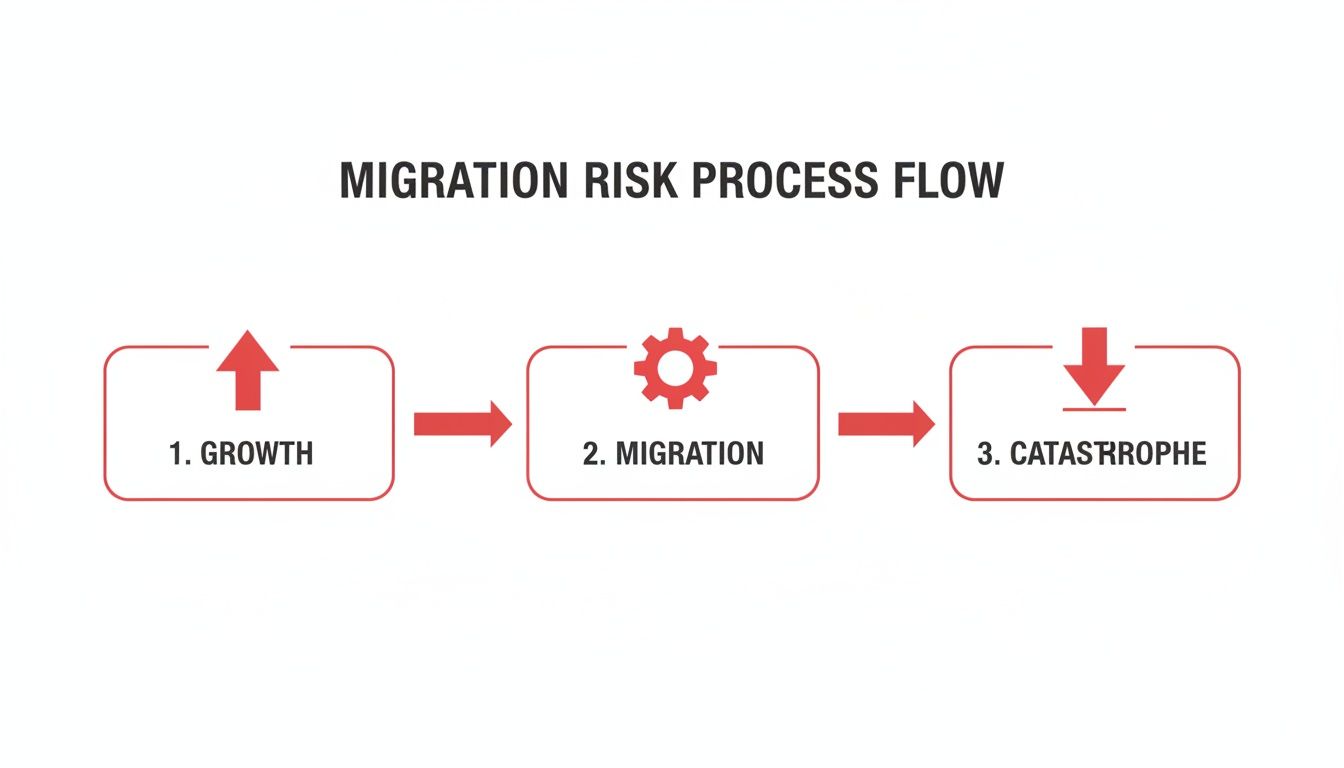
This fork in the road is the migration itself. The outcome is determined entirely by the quality of your prep work.
Conducting Your Pre-Migration SEO Audit
Before a single line of code is written for the new site, you need a complete inventory. A thorough pre-migration audit is non-negotiable and forms the bedrock of your entire strategy. This is where you gather all the crucial data that will inform every decision you make. If you are new to this, we have a complete guide to https://www.superhub.biz/a-complete-guide-to-technical-seo-audits-for-uk-businesses that breaks it down further.
Your audit needs to be focused and practical. You are not just collecting data for the sake of it.
To make sure nothing gets missed, it is best to work from a clear checklist. This ensures you have benchmarked all the critical SEO elements before you start making changes.
Pre-Migration SEO Audit Checklist
| Audit Area | Key Metrics to Collect | Recommended Tool |
|---|---|---|
| URL Inventory | Complete list of all crawlable URLs (HTML, images, PDFs, JS, CSS) | Screaming Frog, Sitebulb |
| Performance Metrics | Organic traffic, keyword rankings, impressions, CTR, conversion rates for top pages. | Google Search Console, GA4 |
| Backlink Profile | Full export of all referring domains and backlinks, identifying top linked pages. | Ahrefs, Semrush, Moz |
| On-Page Elements | Title tags, meta descriptions, H1s, canonical tags, hreflang tags. | Screaming Frog |
| Technical Health | Crawl errors (404s, 5xxs), redirect chains, site speed metrics (Core Web Vitals). | Google Search Console, GTmetrix |
| Internal Linking | Map of internal link structure, identifying pages with high internal PageRank. | Ahrefs, Screaming Frog |
This data is not just a snapshot; it is your insurance policy. It tells you what is valuable on your current site so you can protect it.
For more complex projects, like migrating to Shopify Plus, this level of detail is the bare minimum to maintain your online visibility and build on it.
Crafting a Bulletproof URL Mapping Strategy
Once you have your full list of old URLs and a sitemap for the new site, the single most critical task begins: URL mapping . This is where you decide, URL by URL, where everything is going to live on the new site.
Get this wrong, and you might as well set your SEO on fire.
The golden rule is simple: 1:1, page-level 301 redirects . Every important page on your old site must be permanently redirected to its direct, most relevant equivalent on the new site. Never, ever just redirect everything to the new homepage. That is a tombstone for your old pages and tells Google to forget everything they were worth.
For example, your old blog post at your-site.co.uk/blog/top-ten-seo-tips
needs to be mapped directly to new-site.co.uk/insights/top-seo-tips
. This direct mapping tells search engines the content has moved for good, allowing them to pass over the authority and link equity.
Do Not Underestimate the Risks
Even with a plan, things go wrong. Look at the cautionary tale of White Fuse, a UK SaaS company. After a website and domain migration in 2019, they saw a devastating 50% drop in organic traffic and rankings. They thought they had followed best practices, which just goes to show how even tiny oversights can have massive consequences.
To avoid a similar fate, your mapping document needs to be meticulous. A simple spreadsheet is your best friend here.
Create columns for:
- Old URL: The full URL from the original site.
- New URL: The corresponding URL on the new site.
- Redirect Type: This should almost always be "301".
- Notes: Add context here. Does the page have high-value backlinks? Is it a top traffic driver?
This spreadsheet becomes the bible for your development team. Double-check it. Triple-check it. A single typo can create a broken redirect and a hole in your traffic that you will struggle to plug later.
Technical Implementation and Staging Tests
You have done the groundwork—the audits are complete, and your URL map is ready. Now, we move from blueprints to building. This is where your plan comes to life on a staging server, which is essentially a private, identical twin of your new website.
Think of it as the ultimate dress rehearsal. It is a sandboxed environment where you can poke, prod, and break things without a single customer ever knowing.
This part of the process is non-negotiable. It is your golden opportunity to implement redirects, test every button and link, and iron out all the technical SEO kinks in a controlled space. Finding a problem here saves you from a full-blown panic attack post-launch, protecting your traffic, your rankings, and your sanity.
Rigorous Crawling on the Staging Environment
Once the new site is up on staging, the first job is to crawl it—relentlessly. You need to see the site exactly as a search engine bot would, sniffing out any issues that could sabotage your SEO from the moment you go live.
Fire up a tool like Screaming Frog or Sitebulb and run a full crawl. This is your chance to spot the kind of technical gremlins that can bring a migration to its knees. To give your project the best chance of success, it is always a good idea to lean on general software engineering best practices, which provide a solid framework for any big web development job.
Your staging crawl should be laser-focused on a few critical areas:
- Redirects: Are the 301 redirects from your map working correctly? Every old URL should go directly to its new home in a single hop.
- Response Codes: Hunt down any unexpected 404s (Not Found) or 5xx server errors. These are dead ends for users and search bots alike.
- Redirect Chains: A common pitfall is a series of redirects (Page A → Page B → Page C). These chains slow things down and weaken the authority passed through the links.
- Internal Links: Make sure all internal links point to the new URLs, not the old ones. Every single one should return a clean 200 (OK) status code.
Skipping a staging crawl is like launching a ship without checking for leaks. It might look fine sitting in the harbour, but you are setting yourself up for a disaster that was entirely preventable.
Validating Critical SEO Elements
Crawling is more than just finding broken links. The staging environment is where you painstakingly verify that every crucial on-page and technical SEO element has been carried over or updated correctly. It is tedious work, but it is absolutely vital for protecting your rankings. If you need a more detailed breakdown of what a new site requires, our website redesign checklist for 2026 is a great resource.
Mismanaging redirects is one of the fastest ways to kill your SEO. Just look at what happened to LoveKnitting, a UK e-commerce site whose visibility plummeted by around 99% after a domain migration. The culprit? Lazy wildcard redirects that pointed thousands of valuable old pages to the new homepage, effectively telling Google to forget they ever existed.
Key Technical Verifications
To avoid a similar fate, your staging tests must include a thorough check of these components:
- Canonical Tags: Check that every page has a self-referencing canonical tag pointing to the new URL. This is your defence against duplicate content issues.
- Hreflang Tags:
For international sites, confirm that
hreflangattributes are updated with the new domain or URL structure. Get this wrong, and Google might start showing your Spanish pages to users in Germany. - Analytics and Tracking Codes: Make sure all your tracking scripts—Google Analytics 4, Google Tag Manager, ad pixels—are installed and firing correctly. If you lose this data, you will be flying blind after launch.
- XML Sitemaps: Generate a fresh XML sitemap based on the final URL structure. It must be error-free and contain only indexable, 200-status-code pages, ready for submission the moment you go live.
- Robots.txt Configuration:
Your staging site must be blocked from indexing via a
Disallow: /rule. The critical part? Have a plan to switch this out for the correct liverobots.txtfile at launch. Forgetting this simple step will render your new site invisible to search engines.
Navigating Launch Day and Post-Launch Monitoring
After weeks of careful planning, launch day is finally here. But this is not the finish line. Think of it as the starting pistol for the most critical phase of the entire migration. Everything you have done so far has been leading up to this point, allowing you to react quickly and precisely to anything that crops up.
The launch itself needs to be a methodical, step-by-step process. Do not think of it as just flipping a switch. It is more like a coordinated sequence where each action builds on the last, ensuring a smooth transition for both your users and the search engine crawlers.
This is all about maintaining control and verifying every single stage.
Your Essential Launch Day Checklist
On the day, a clear, actionable checklist is your best friend. It stops crucial steps from being forgotten when things get busy and keeps the whole operation logical.
Here is a typical sequence we follow:
- Set Maintenance Mode: Briefly pop the site into maintenance mode. This stops users from accessing it while you are making changes.
- Back up Everything: Perform one last backup of the old site and its database. This is your safety net. Do not skip it.
- Deploy the New Site: Push the new, fully tested website from your staging environment to the live server.
- Implement Redirects: This is the moment of truth. Activate all the carefully mapped 301 redirects . This is arguably the single most important technical step.
- Remove Crawl Blocks:
Update the live
robots.txtfile, making sure to remove theDisallow: /rule that was protecting the staging site. - Disable Maintenance Mode: Flick the switch and make the new site live to the world.
Now that the new site is live, the real-time monitoring begins immediately.
The First 72 Hours: Intensive Monitoring
The first 72 hours post-launch are a high-alert period. Your only goal is to find and fix any problems before they can do real damage to your SEO. Your eyes should be glued to your analytics, server logs, and crawling tools.
The first few days will tell you almost everything you need to know about the migration's success. Catching errors swiftly in this window can be the difference between a temporary dip and a long-term ranking disaster.
Get a crawl of the new live site running straight away. Use a tool like Screaming Frog to check that your 301 redirects are firing correctly, with no nasty redirect chains or unexpected 404 errors popping up. This first crawl is your initial health check, confirming the technical foundations are solid. You can get a better handle on this process by exploring some of the best free SEO audit tools available for your site to help out.
Verifying Analytics and Search Console
Next, jump into your analytics platforms. In Google Analytics 4, you need to be watching the real-time reports to confirm traffic is being recorded. If you see a flat line, it is a massive red flag that something is wrong with your tracking code.
At the same time, head over to Google Search Console. There are a few key things you need to do without delay:
- Submit Your New XML Sitemap: This gives Google a nudge to start crawling your new URLs as quickly as possible.
- Use the URL Inspection Tool: Test a handful of key pages – the homepage, a main category page, a popular blog post – to make sure Googlebot can see and render them correctly.
- Check the Crawl Stats Report: Keep an eye on crawl activity. You should see a noticeable spike as Googlebot begins to explore the new site structure.
Monitoring your server logs is another non-negotiable task. They give you the raw, unfiltered data on every single request made to your server from bots and users. You are looking for patterns of 404 (Not Found) errors. If you spot Googlebot repeatedly hitting a 404 page, it means a redirect was almost certainly missed. Fix it, and fix it fast. This intense level of monitoring is absolutely essential for a successful SEO for site migrations project.
Long-Term Performance Tracking and Recovery
Getting the new site live is not the finish line. Far from it. This is where the real work of tracking the recovery begins. The true success of a site migration is measured over the next few months, not just the first few days.
Long-term monitoring is what separates a smooth, successful transition from a slow-burning disaster that bleeds traffic for months on end.
Those pre-migration benchmarks you took? They are now your most valuable asset. The entire goal is to compare your post-launch data against that baseline to see how you are recovering. It is totally normal to see a temporary dip in traffic and rankings—often around 10-15% —but your mission is to get those numbers back to where they were, and then push past them.
Nailing Your Monitoring Schedule
You absolutely cannot just check your stats a week after launch and call it a day. You need a structured monitoring plan for at least the first three months to spot trends, both good and bad, before they become serious problems.
Think of it as a phased approach. It helps you see exactly how search engines are processing the changes you have made and gives you the chance to fix things before they get baked in.
Your schedule should look something like this:
- The First 30 Days: This is the most critical period. Check your key metrics daily for the first week, then shift to weekly. You are looking for big red flags in Google Search Console, like spikes in crawl errors or huge drops in organic traffic to your money pages.
- The 60-Day Check-in: By now, you should be seeing clear signs of recovery. Rankings ought to be stabilising, and your organic traffic should be trending upwards, getting close to that pre-migration baseline.
- The 90-Day Review: After three months, the dust should have settled. Your traffic and keyword positions should be at or, ideally, above your original benchmarks. If they are not, it is a massive sign that something is fundamentally broken and needs a deep dive investigation.
Finding and Fixing Post-Migration Problems
Even with the most meticulous planning, issues can pop up weeks after you go live. You have to know what to look for and how to fix these common post-migration headaches. Gradual declines are often sneakier than a catastrophic launch-day failure but can be just as damaging over time.
For a stark reminder of what is at stake, look at the mess Wiggle, a major UK cycling retailer, made in 2023. Their migration from .co.uk
to .com
led to a loss of 413,255 keyword rankings
and another 457,384 position drops
in the UK. Their mistakes, like redirecting pages to a temporary holding page, caused one of the year's worst SEO visibility drops. You can read the full horror story of these UK website visibility losers on sistrix.com.
To avoid a similar fate, keep a close eye out for these tell-tale signs:
- A Slow Bleed in Rankings: If your keyword positions are slowly but surely slipping away, check for cannibalisation issues where old and new URLs might be competing. You should also verify that your most powerful backlinks are pointing directly to the final URLs, not hitting a redirect chain.
- A Spike in 'Not Found' Errors: A rising tide of 404 errors in Google Search Console's Coverage report means you have got broken links. These could be internal links you missed or, worse, external links from other websites that are now pointing to a dead end.
- Key Pages Are Losing Traffic:
If some of your most valuable pages are underperforming, get them into the URL Inspection Tool. Make sure they are actually indexed and rendering correctly. It is shockingly common for a
noindextag to be left on by mistake or for internal link equity to no longer be flowing to them properly.
A site migration is not a one-and-done job; it is an ongoing project. Your commitment to watching the data and fixing what is broken is what ultimately decides whether this whole thing was a success or a costly mistake that will take years to undo.
Shifting from Recovery to Growth
Once you have stabilised the ship, it is time to get proactive. A migration is a massive opportunity to come out stronger. Start reaching out to the webmasters of your highest-authority backlinks. Ask them to update their links so they point directly to your new URLs.
This little bit of housekeeping eliminates the redirect and passes on every last drop of link equity. This is the kind of sustained SEO effort that turns a risky technical exercise into a massive long-term advantage.
Common Questions About Site Migration SEO
Even with the most detailed plan, a few nagging questions always pop up. When the stakes are this high, it is only natural to have some last-minute worries. Let us clear the air and tackle the most common queries we hear from clients.
How Long Does It Take for Google to Recognise a Site Migration?
This is the million-pound question, and the honest answer is: it depends. There is no magic number. The time Google takes to fully process a migration can be anything from a few weeks to several months.
What really moves the needle are things like your site's size, its existing authority, and how cleanly you pull off the technical side. For a small website with a perfect 1:1 redirect map and zero errors, you might see things settle down within a month. But for a monster site with tens of thousands of pages, you are looking at three months or more for Google to crawl everything and re-evaluate your new setup.
If you are changing domains, make sure you use the 'Change of Address' tool in Google Search Console. It is a direct signal to Google that you have moved house, and it can definitely speed things up.
Is a Temporary Drop in Traffic Normal After a Migration?
Yes, absolutely. Expect a temporary dip in organic traffic and keyword rankings. It is almost unavoidable. This wobble, which often lasts a few weeks, happens while Google is busy crawling the new site, processing all your redirects, and figuring out where to pass the authority.
A drop of 10-15% is usually nothing to panic about, as long as it starts to recover. A well-executed migration is all about minimising this dip and making the recovery period as short as possible.
If you see a catastrophic drop of 50% or more, or if your traffic shows zero sign of recovery after four to six weeks, that is a red alert. It almost certainly points to a major technical SEO screw-up that needs fixing, fast. That is not normal fluctuation; it is a problem.
What Is the Biggest Mistake to Avoid During a Migration?
Without a shadow of a doubt, the single most destructive mistake is a botched redirect strategy. It is the absolute foundation of a successful migration. Get this wrong, and you are in for a world of pain.
This usually shows up in a few classic ways:
- Using the wrong redirect: Slapping 302 (temporary) redirects on everything instead of 301 (permanent) ones tells search engines the move is not final. They will not pass on your hard-earned link equity.
- Redirecting everything to the homepage: This is lazy and incredibly damaging. It effectively tells Google that all your valuable inner pages are gone, and their rankings will disappear along with them.
- Missing redirects: Forgetting to redirect pages with powerful backlinks is like taking your best assets and throwing them in the bin.
A meticulous 1:1 redirect map , where every old page is pointed to its direct new equivalent, is non-negotiable. It is the only way to properly transfer your authority and show search engines exactly where your content now lives.
Navigating the complexities of a site migration requires an expert hand. At Superhub , we specialise in protecting and growing your SEO through major website changes. Ensure your next move is a success with our proven strategies.
Want This Done For You?
SuperHub helps UK brands with video, content, SEO and marketing that actually drives revenue. No vanity metrics. No bullsh*t.