Technical SEO Consultant: Fix Site Issues & Grow
Think of a technical SEO consultant as the architect of your website’s digital foundation. They’re the ones working behind the scenes, making sure search engines can efficiently find, understand and ultimately rank your content. Their job isn't about keywords; it's about ensuring the entire website is structurally sound from the ground up.
What a Technical SEO Consultant Actually Does
Let's cut through the jargon. What does a technical SEO consultant really do day-to-day? Imagine them as the master architect drawing up your website's digital blueprint. While your content and design are the visible parts of the building, the technical SEO consultant ensures the foundations, wiring and plumbing are flawless.
Their main goal is to make your site perfectly accessible and understandable to search engine crawlers like Googlebot. If search engines can't properly crawl and index your pages, even the most brilliant content will remain invisible. This is where their specialised skills become an essential part of any winning digital strategy.
The Architect's Blueprint for Search Success
A technical SEO consultant doesn’t just patch up errors; they build a framework for long-term organic growth. Their work has a direct impact on your online visibility and, ultimately, your business's success. This involves a deep dive into the very structure of your website.
For anyone looking to get a handle on the broader world of search marketing, our complete guide on SEO is a great place to start.
A consultant’s work usually zeroes in on a few key areas:
- Crawlability and Indexability: Making sure search engine bots can easily navigate your site and add its pages to their enormous index.
- Site Speed and Performance: Fine-tuning loading times to improve user experience and hit the performance standards set by search engines.
- Website Architecture: Structuring the site logically so that both people and search engines can find important content without a fuss.
- Schema Markup: Adding structured data that helps search engines understand the context of your content, which can lead to those eye-catching enhanced search results.
A technically sound website doesn't just please search engines; it creates a better experience for your visitors. This translates into higher conversion rates and a stronger brand reputation. The consultant's work is the invisible engine powering your entire organic search performance, turning a good website into a great one.
Here in the UK, these consultants are absolutely vital for driving organic growth. Top UK experts focus heavily on technical details like achieving excellent Core Web Vitals scores—metrics like Largest Contentful Paint (LCP) and Cumulative Layout Shift (CLS) —which directly influence usability and rankings. By making sure your website is fast, secure and easy for search engines to process, a technical SEO consultant lays the groundwork for all your other marketing efforts to truly pay off.
The Core Tasks That Drive Real Business Impact
A technical SEO consultant does more than just talk theory; they get things done. Their work isn't about ticking off items on a generic checklist but about taking specific actions that directly improve your website's performance and, ultimately, your bottom line. Every task is a targeted intervention designed to fix a problem that either search engines or your users are running into.
Think of them as a specialist physician for your website. Some of their work builds a strong, healthy foundation for the future, while other tasks are like precision surgery, fixing immediate issues that are stunting your growth. It’s this mix of proactive construction and reactive problem-solving that makes the role so valuable.
This infographic breaks down how a consultant's work is layered, from the foundational blueprint to the structural and functional elements that get a site noticed by search engines.
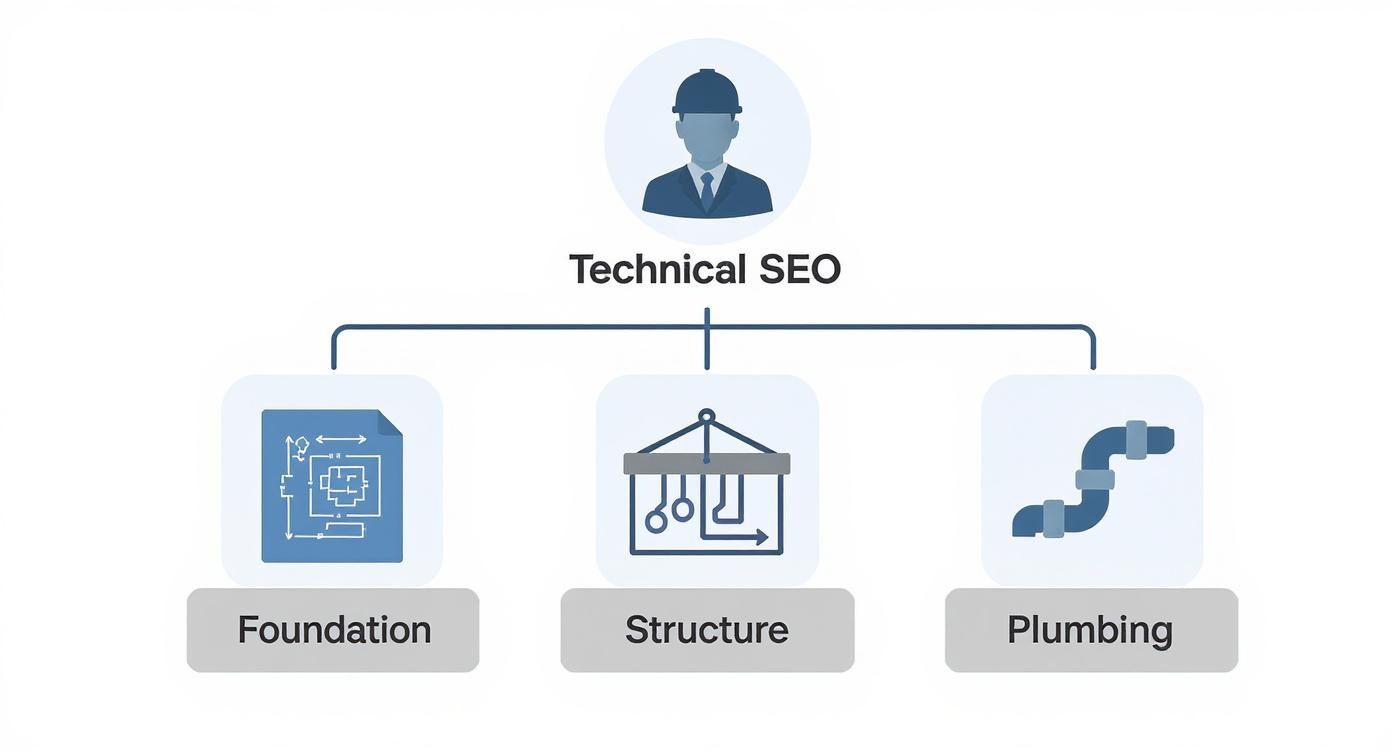
As you can see, a consultant acts as the architect, making sure all the core components work together seamlessly so a website can be technically sound and successful.
To give you a clearer picture, this table breaks down the key responsibilities and how each one delivers real, tangible value to a business.
Key Responsibilities and Their Business Impact
| Technical SEO Responsibility | Description | Direct Business Impact |
|---|---|---|
| Comprehensive Site Audits | A deep, meticulous investigation into the website's technical health to uncover hidden issues. | Prevents loss of traffic from unseen errors and provides a clear, prioritised roadmap for growth. |
| Schema Markup Implementation | Adding structured data (code) to help search engines understand content more deeply. | Increases visibility and click-through rates by enabling "rich results" like star ratings and FAQs in search. |
| Site Migration Management | Overseeing the technical process of moving a website to a new domain, structure, or protocol (e.g., HTTPS). | Protects rankings and organic traffic during high-stakes transitions, preventing catastrophic business losses. |
| Log File Analysis | Analysing server logs to understand exactly how search engine crawlers are interacting with the site. | Optimises "crawl budget," ensuring search engines find and index your most important pages efficiently. |
| Page Speed Optimisation | Identifying and fixing elements that slow down website loading times on desktop and mobile. | Improves user experience, reduces bounce rates, and boosts search rankings, directly impacting conversions. |
Each of these tasks requires a specialist's eye, as getting them wrong can do more harm than good. They are foundational pillars that support every other marketing effort.
Deep Dive Site Audits: Uncovering What's Hidden
The bedrock of any technical SEO engagement is the comprehensive site audit . This is so much more than a quick scan with an automated tool. It's a forensic investigation into every nook and cranny of your site’s technical health, rooting out the problems that are quietly sabotaging your ability to rank.
This process shines a light on issues like:
- Crawl Errors: Finding pages that Googlebot simply can't access, making them invisible to search.
- Duplicate Content: Identifying where the same content appears on multiple URLs, which confuses search engines and weakens your authority.
- Broken Internal Links: Fixing links that lead to nowhere, which frustrates users and stops SEO value from flowing through your site.
A proper audit delivers a clear, prioritised roadmap. If you want to dig deeper into what this involves, our guide to better technical SEO audits explains the process in detail. The findings from this initial stage shape the entire strategy, making sure effort is spent where it counts the most.
Implementing Schema Markup for Rich Results
Another crucial task is implementing schema markup , also known as structured data. Think of it as a special vocabulary of code you add to your website to help search engines understand your content on a much deeper level. You’re essentially adding labels to your information so Google can read and categorise it perfectly.
For instance, a consultant can add schema that tells Google:
- This string of numbers is the price of a product.
- This piece of text is a customer review.
- This content block is a recipe and here are the cooking times.
The payoff for getting schema right can be rich results in the search listings—those eye-catching snippets with star ratings, prices, or FAQs right there in the search results. They don't just improve visibility; they significantly boost click-through rates because your listing stands out from the crowd.
Managing Complex Site Migrations
Perhaps one of the most high-stakes jobs a technical SEO consultant handles is managing a site migration . This could be anything from moving to a new domain, switching to HTTPS, or completely overhauling your site's architecture. If it’s handled badly, a migration can be a catastrophe, wiping out your traffic and rankings overnight.
Here, the consultant acts as the project manager for your search visibility, ensuring a completely seamless transition. They will painstakingly map every old URL to its new home using 301 redirects, preserving the years of link authority you’ve built. They also manage critical files that guide search engines. For example, a core part of their job is ensuring proper WordPress robots.txt optimization to tell crawlers exactly what to do during and after the move.
By overseeing every single technical detail, a consultant ensures your website migration becomes a launchpad for growth, not a business disaster. Their expertise turns a highly risky project into a safe and successful evolution.
Why Investing in Technical SEO Is a Growth Strategy
It’s easy to see a technical SEO consultant as just another line item on the expense sheet. But that’s a huge mistake. Think of it less as a cost and more as a direct investment in your company’s growth engine. It’s the move that shifts your business from constantly chasing an audience to having that audience find you, organically and consistently.
This isn’t about fixing a few broken links here and there. It’s about building a sustainable, powerful channel for customer acquisition that fundamentally changes your commercial trajectory. When your website is technically sound, it becomes an asset that works for you around the clock.
This proactive approach secures a reliable flow of organic traffic, which means you’re less reliant on expensive and often volatile paid advertising. It’s like building a house on solid rock instead of shifting sand; every other marketing effort you make becomes far more effective when it’s built on a stable foundation.
From Technical Fixes to Commercial Gains
The link between your site’s technical health and your business’s success is direct and measurable. A website that loads quickly, is a breeze to navigate and has no dead ends simply provides a better user experience. This isn’t just a "nice-to-have"—it's a critical part of turning visitors into customers.
A technically optimised site translates directly into higher conversion rates. When people can find what they need without getting frustrated, they’re far more likely to make a purchase or fill out a form. In short, a better experience means better business results.
A technical SEO consultant isn't just optimising for search engines; they're optimising for your customers. Their work removes the invisible friction that sends potential clients to your competitors, strengthening your brand reputation in the process.
This kind of strategic partnership addresses some of the most stubborn business challenges. If your growth has stalled or your competitors consistently outrank you, the problem often lies under the hood in your site's technical structure. A consultant diagnoses these foundational issues and unlocks new opportunities for growth.
Building a Resilient Future
The digital world never stands still. Google rolls out algorithm updates that can throw unprepared businesses into a tailspin overnight. Investing in technical SEO is a form of future-proofing. A consultant ensures your website follows best practices, making it more resilient and less vulnerable to these sudden shifts.
This resilience is vital for long-term stability. By staying ahead of the curve, you don't just protect your existing search rankings; you build a platform that can adapt and thrive through whatever changes come next. It's a proactive defence against uncertainty.
The commercial benefits are significant. SEO consultants and agencies in the UK have demonstrated clear business impacts from this work. Businesses that invest in technical SEO can see an average 748% return on investment over three years, largely because it slashes the need for paid ads while sustainably boosting organic traffic. This focus on organic growth can lead to savings of up to 400% in ad spend . You can dive deeper into these findings by exploring the insights on UK SEO expert results at limelightdigital.co.uk.
Ultimately, bringing in a technical SEO consultant is a strategic decision to build a more profitable and defensible business. Their expertise transforms your website from a simple online brochure into a high-performance asset that drives real, sustainable commercial success.
How to Hire the Right Technical SEO Consultant
Finding the right technical SEO consultant can feel like searching for a needle in a digital haystack. The market is flooded with agencies and freelancers all claiming to be experts but figuring out who can actually deliver results requires a smart approach. Get it wrong and you’ll waste your budget and potentially do more harm than good to your site.
This isn’t just about finding someone who knows the jargon; it's about finding a strategic partner. You need an expert who can diagnose complex technical problems and explain them in a way your entire team can understand and act on. The best consultants bridge the gap between deep technical knowledge and your actual business goals.

Looking Beyond the Technical Checklist
A truly great technical SEO consultant brings more to the table than just the ability to analyse a log file or configure a robots.txt
file. While technical skill is the baseline, you should be looking for a well-rounded professional with some key business-centric qualities.
These softer skills are often what separate an average consultant from a genuinely valuable one. They ensure that technical recommendations aren't just made but are actually understood, prioritised and implemented in a way that aligns with your bottom line.
Here’s what really matters:
- Commercial Awareness: The consultant needs to grasp that technical SEO isn't just an academic exercise. Every single recommendation should tie back to a business outcome, whether that's boosting revenue, generating leads, or improving user engagement.
- Clear Communication Skills: They must be able to translate complex issues into plain English for stakeholders and provide precise, actionable instructions for your developers. A consultant who can’t communicate effectively is one whose advice will never get implemented.
- A Problem-Solving Mindset: At its core, technical SEO is about solving intricate puzzles. Look for someone who is naturally curious, persistent and can show you a logical approach to diagnosing and fixing problems.
Vetting Candidates and Their Past Work
Before you even schedule an interview, a candidate's past work can tell you a lot. Don't just accept a list of previous clients; dig deeper into their portfolio and case studies to properly vet their experience and capabilities.
Look for evidence of their process. A strong case study won't just flash impressive "before and after" traffic graphs. It will outline the specific problem they identified, the solution they proposed and the steps they took to get the result. This reveals a strategic and methodical mind.
When reviewing their work, ask yourself: Does this case study clearly explain the 'why' behind their actions? A top-tier consultant will articulate their strategic reasoning, showing they didn't just follow a checklist but developed a bespoke solution for a unique problem.
Pay close attention to the types of projects they feature. Have they successfully managed a high-stakes site migration? Have they resolved complex indexation issues for a massive e-commerce site? This tells you if their experience matches the specific challenges your business is facing. For a deeper understanding of what drives search performance, our guide on organic search engine optimisation service offers valuable context.
Essential Interview Questions to Ask
The interview is your chance to probe beyond a candidate's CV and see how they think on their feet. Ditch the generic questions and focus on real-world scenarios that test their experience, communication style and strategic thinking.
Your goal here is to understand their process and how they handle pressure. A skilled technical SEO consultant will be able to articulate their thought process clearly and confidently, backing up their answers with solid examples from past work.
Here are a few insightful questions to help reveal their true capabilities:
-
"Walk me through a difficult site migration you managed. What were the biggest challenges and what was the outcome?"
- This question tests their project management skills, attention to detail and ability to perform under pressure. You want to hear about pre-migration planning, redirect mapping and post-migration monitoring.
-
"How do you translate complex technical findings into an actionable roadmap for developers and marketers?"
- This gets to the heart of their communication and prioritisation skills. A strong answer will involve creating prioritised task lists based on impact and effort, and using clear, jargon-free language for non-technical team members.
-
"Describe a time you discovered a critical indexing issue. How did you diagnose it and what steps did you take to resolve it?"
- This probes their diagnostic abilities. Listen for mentions of tools like Google Search Console, log file analysers, or crawling software, and a logical, step-by-step process for getting to the root cause.
By asking these kinds of questions, you move beyond theory and get a clear picture of how a candidate actually operates in the real world. This rigorous vetting process is your best bet for finding a technical SEO consultant who will become a genuine asset to your business.
Integrating Your Consultant for Maximum Results
Hiring a technical SEO consultant is a great first step but the real value is unlocked when they become a genuine part of your team. Without a clear plan for collaboration, even the most insightful audit can end up as just another document gathering digital dust. To turn recommendations into real-world results, you need to build a true partnership, not a siloed, report-only relationship.
Think of your consultant as a specialist surgeon joining your hospital's medical team. They bring critical expertise but they can't operate in a vacuum. They need to work seamlessly with the GPs (your marketing team), the nurses (your content creators) and the hospital administrators (your developers) to ensure a successful outcome for the patient—your website.

This means setting up clear lines of communication, defining everyone's roles and creating collaborative workflows from day one. The goal is to build a system where the consultant's expert advice isn't just heard but is understood, prioritised and efficiently implemented.
Establishing Clear Communication Channels
Proper integration starts with communication. Your consultant needs direct access to the key people in your marketing, content and development departments. A disjointed process where feedback is passed through multiple intermediaries is slow, inefficient and a recipe for misinterpretation.
To stop this from happening, get a simple communication framework in place:
- Dedicated Project Channel: Create a shared space in your team’s communication tool (like Slack or Teams) for the consultant and relevant team members. This keeps all discussions in one place and everyone in the loop.
- Regular Check-in Meetings: Schedule brief weekly or fortnightly meetings to go over progress, discuss any roadblocks and plan what's next. This keeps the momentum going and holds everyone accountable.
- Shared Project Management Board: Use a tool like Trello, Asana, or Jira to track the status of technical SEO tasks. This gives everyone full transparency on what's being worked on, what's coming up and who is responsible.
Defining Roles and Fostering Collaboration
A common pitfall is the "us versus them" mentality that can spring up between a consultant and the in-house development team. The best way to avoid this is to frame the relationship as a collaboration right from the start. Your technical SEO consultant is there to empower your teams with specialised knowledge, not to criticise their past work.
The consultant's role is to diagnose the "what" and "why" of a technical issue. Your development team holds the expertise on "how" to implement the fix within your specific tech stack. Success lies in merging these two skill sets.
This partnership model ensures that recommendations are practical and actually take your website's unique architecture into account. It turns the process from a simple handover of tasks into a dynamic, problem-solving effort where everyone is working towards the same goal: making the website perform better.
From Audit to Actionable Roadmap
The initial technical audit is the starting point, not the final product. A top-tier technical SEO consultant will work with your teams to translate their findings into a prioritised, actionable roadmap. This involves weighing up each recommendation based on its potential impact versus the effort required to implement it.
This collaborative approach is a hallmark of the UK market, where leading agencies prioritise transparent, data-driven strategies to build client trust. For instance, some have achieved incredible organic traffic growth rates of over 200% within six months for clients by combining large-scale automated audits with continuous, hands-on technical refinements. To see these results for yourself, you can find out more about UK digital agency performance at webpeak.org.
By integrating your consultant effectively, you create a powerful engine for sustained growth, making sure their expertise becomes a catalyst for real, lasting website improvements.
Got Questions About Technical SEO Consultants?
Stepping into the world of technical SEO can feel a bit like learning a new language. When you're thinking about bringing an expert on board, it's natural to have a few questions. To help you get your bearings, we've answered some of the most common queries we hear from businesses just like yours.
Think of this as your practical guide to hiring and working with a technical SEO consultant.
What’s the Difference Between a General SEO and a Technical SEO?
This is one of the first things people ask and it’s a great question. The roles can seem similar on the surface but they focus on very different things.
A general SEO consultant is like a GP for your website. They look after its overall health, covering a wide range of activities like on-page content optimisation, keyword research and link-building strategies. They manage the big picture of your online presence.
A technical SEO consultant , on the other hand, is the specialist—the surgeon. They dive deep into the very foundations of your website’s architecture. Their job is to tackle the complex, structural issues that dictate how search engines can find, crawl, understand and index your pages in the first place. You bring them in for the critical operations that your website’s performance depends on.
How Long Does It Take to See Results?
Once you’ve made the investment, you'll naturally want to know when you can expect to see a return.
The timeline for technical SEO results isn't set in stone. Some fixes can deliver positive signals surprisingly quickly. For instance, removing a rogue noindex
tag that’s blocking a key page or fixing a major crawl error could show improvements within weeks, as soon as Google re-crawls your site. These are the quick wins a good consultant will hunt for first.
However, bigger, more foundational projects will take longer. Things like a complete site migration or a comprehensive overhaul of your Core Web Vitals across thousands of pages might take several months before the full impact on your rankings and traffic becomes clear.
A sharp consultant will lay out a clear roadmap with realistic timelines. They’ll separate the immediate fixes from the long-term strategic improvements, so you know exactly what to expect. This is about building sustainable growth, not just chasing a temporary spike.
What Are the Typical Costs in the UK?
Budget is always a major factor and the cost of hiring a technical SEO consultant in the UK really depends on their experience and the scope of your project.
You'll generally come across a few common pricing models:
- Hourly Rate: For experienced consultants, this can range anywhere from £75 to over £200 per hour .
- Day Rate: Many freelancers prefer a day rate, which typically falls between £500 and £1,500+ .
- Project Fee: For a specific piece of work, like a full technical audit, you’ll often get a fixed fee. This could be anywhere from £1,000 to £5,000+ , depending on your site’s size and complexity.
- Monthly Retainer: For ongoing support and implementation, retainers are the way to go. These might start around £750 for a small business and climb well over £10,000 for a large enterprise.
It’s important to see this as an investment in your organic growth engine, not just another business expense.
Does Technical SEO Replace Content and Link Building?
Finally, how does a technical SEO consultant fit into your wider marketing efforts?
Do you still need to create great content and build links? Absolutely. Technical SEO is just one of the three pillars of search success. It works hand-in-hand with high-quality content and authoritative backlinks; they all rely on each other.
A technical SEO consultant ensures your website is a high-performance vehicle. But you still need excellent content (the fuel) and a strong backlink profile (the road network) to get where you want to go. The consultant’s work makes sure that all the effort you pour into content and outreach isn't wasted on a broken foundation. By fixing the engine, they make your entire SEO strategy more powerful.
At Superhub , we know that a powerful online presence starts with a rock-solid technical foundation. Our team combines deep technical knowledge with strategic business insight to drive meaningful growth for our clients. Whether you’re in motorsport, tourism, or e-commerce, we build bespoke strategies that deliver real results.
Ready to unlock your website's full potential? Explore our SEO services and get in touch today.
Want This Done For You?
SuperHub helps UK brands with video, content, SEO and marketing that actually drives revenue. No vanity metrics. No bullsh*t.