Supercharge Your Campaigns with Marketing Project Management Software
Let's be honest: juggling multi-channel campaigns can feel like spinning plates. You've got social, SEO, paid media, and content all running at once. Without a central command centre, things get messy—fast. This is where marketing project management software comes in, turning chaotic workflows into a clear, strategic game plan. It’s the difference between reacting to fires and proactively driving results.
Why Modern Marketing Teams Rely on Project Management Software

The days of tracking a major campaign with a clunky spreadsheet and a never-ending email thread are well and truly over. A single launch might involve video production, blog posts, social media hype, and paid ads—each with its own timeline, assets, and dependencies. Without one system to rule them all, tasks get missed, deadlines slip, and communication just falls apart.
This is exactly where dedicated software proves its worth. It brings order to the chaos, giving your team a single source of truth to see who’s doing what, track every moving part, and keep campaigns running like clockwork, even when things get hectic.
Centralising Complex Campaigns
Think about a new product launch. The content team is drafting blog posts while the social team is creating teaser content and the paid media crew is setting up ad campaigns. The right software makes sure all these moving parts are perfectly synchronised, not just bumping into each other.
A solid platform helps your team:
- Coordinate content calendars across every channel to keep the messaging tight and consistent.
- Track critical dependencies , like making sure the copy is signed off before it gets pushed into a live ad.
- Centralise creative assets and feedback , ending the nightmare of 'final_v2_final_FINAL.psd'.
This centralisation cuts out the endless back-and-forth that kills productivity and keeps your campaign timelines locked in.
Gaining True Project Visibility
One of the biggest headaches for any marketing lead is not knowing what’s really going on. Who’s at capacity? What’s blocking the next big deliverable? Where are the bottlenecks? Many marketing departments fail because they cannot see these issues until it is too late. It’s a classic symptom of poor visibility, and it prevents them from scaling effectively.
A strong project management framework empowers project teams to complete their work on time and within budget. Without it, projects can easily get bogged down, team members can lose focus, and important information can fall through the cracks.
The demand for these tools isn't slowing down. In the UK alone, the digital marketing software market hit £1.75 billion in 2024 and is expected to climb to £8.26 billion by 2033. This explosion shows just how much teams now depend on software to orchestrate their complex strategies.
Mapping Your Workflows Before You Choose a Tool

Jumping straight into software demos without a clear plan is a classic mistake. You get dazzled by flashy features and slick dashboards, but you have no real way of knowing if the tool will solve your team’s actual, day to day problems.
The critical first step is always an honest, internal audit of your marketing operations. It’s about looking past the surface level tasks and mapping the entire lifecycle of a typical campaign. This process creates a blueprint of your needs, which becomes the compass guiding your search for the perfect marketing project management software . Without it, you’re just choosing blind.
Pinpointing Your Real Bottlenecks
Every marketing team has them—those hidden friction points that quietly sabotage productivity. It might be the chaotic feedback loop on creative assets, with comments scattered across emails, Slack, and Teams. Or maybe it’s a convoluted approval chain that delays campaign launches by days.
To find yours, get the team together and visualise a recent project from start to finish. A simple whiteboard session can be incredibly revealing.
- Initial Brief: Who creates it? What information is absolutely essential? Where does it get stored?
- Task Assignment: How are tasks distributed? Is it clear who owns each piece of the project?
- Creative Review: How is feedback collected and consolidated? How many revision rounds are we really doing?
- Final Approval: Who gives the final sign-off? Is this process clearly documented and actually followed?
This simple exercise will quickly highlight where things are breaking down. You might realise, for instance, that your copywriters spend hours chasing stakeholders for approvals—a problem a tool with automated approval workflows could solve almost instantly.
Choosing a project management tool is less about the software and more about the process. If you don't understand your own workflows, no platform can magically fix them. A tool should support your process, not dictate it.
Before you even think about committing to a tool, it's worth exploring a guide to automating your workflows to ensure your processes are as sharp as they can be. This preparation means you're looking for software that enhances an already efficient system, not just papering over the cracks.
Documenting Roles and Integrations
Once you’ve mapped your processes and identified the real pain points, it’s time to get specific about your team's operational needs. This isn’t just about features; it’s about how the software will plug into your existing ecosystem. A tool that operates in a silo is more of a hindrance than a help.
Start by listing every person involved in a project and defining their role and responsibilities. This clarifies who needs what level of access and functionality. A graphic designer needs robust asset proofing tools, while a marketing director needs high level dashboard reporting to track progress against KPIs.
Next, focus on your non-negotiable integrations. Your marketing project management software has to act as the central hub connecting your entire martech stack. A lack of integration forces manual data entry, which is not only slow but a recipe for human error.
Your must-have integration list might include:
- CRM (e.g., HubSpot, Salesforce): To automatically kick off new projects when a deal closes or a new client is onboarded.
- CMS (e.g., WordPress): To push approved blog content directly for publication, cutting out the soul-destroying copy-paste routine.
- Creative Tools (e.g., Adobe Creative Cloud): To let designers work in their native apps while syncing files and feedback seamlessly.
- Analytics (e.g., Google Analytics): To pull performance data right into project dashboards, linking your team's effort directly to results.
With this detailed requirements brief in hand, you're no longer just browsing software. You're now equipped to evaluate potential platforms with precision, ensuring the tool you pick actually solves your real problems instead of creating new ones.
Evaluating The Must-Have Software Features
With your workflows clearly mapped out, you can finally move from the abstract world of needs to the concrete reality of software features. The market for marketing project management software is a crowded one, and every platform is screaming that it’s the solution to all your problems.
To cut through that noise, you have to ignore the flashy gadgets and focus on the core functions that will actually make a difference to your team’s daily grind. True value is found in features that directly solve the bottlenecks you’ve already identified.
Core Functionality For Modern Marketing Teams
For marketing teams, this usually comes down to a few key areas: seamless collaboration, clear project oversight, and smart team capacity management. It's about finding tools built with a marketer's real-world process in mind, not just a generic to do list app.
For instance, dedicated social media scheduling tools are a non-negotiable for any brand looking for consistency, highlighting just how specialised marketing tech needs to be.
A B2B agency will likely need robust Gantt charts to manage long, complex client projects with multiple dependencies. On the flip side, a fast-moving e-commerce brand is probably going to lean on flexible Kanban boards to run agile content sprints and react instantly to market trends.
The goal is to match the feature set to your reality. Here are some of the non-negotiables I see time and time again:
- Collaborative Asset Proofing: This is the feature that ends the nightmare of digging through endless email chains for feedback. Look for tools that let stakeholders comment directly on images, videos, and documents, keeping every revision and approval locked in one place.
- Customisable Dashboards: Your marketing director needs a 30,000-foot view of campaign progress against KPIs. Your content writer just needs to see their immediate task list. The best software lets each person build a dashboard that shows them exactly what they need, without the clutter.
- Resource Allocation and Management: Burnout is a serious risk in marketing. Resource management tools give you a transparent view of everyone's workload, helping you spot who is over capacity before it becomes a crisis. It allows you to reallocate tasks and keep projects moving without overwhelming your people.
Choosing the right features isn't about finding the tool with the longest list; it's about finding the right list. A platform with five features your team uses every day is infinitely more valuable than one with fifty that just add complexity.
It seems UK businesses agree. A Capterra report shows that 18% of UK buyers have made project management software their top investment priority for 2025, even ahead of HR software at 14%. This shows a clear shift towards tools that deliver tangible productivity gains. You can explore more about UK tech market trends on Capterra.co.uk.
Automation and Integration Capabilities
A tool that doesn’t talk to your other systems is just another silo. It creates manual data entry, wastes time, and leads to mistakes. Your marketing project management software should be the central hub of your operation, connecting the tools your team already lives in.
When you’re doing demos, be ruthless in checking their integration library. Does it connect natively with your CRM, your analytics platform, and your creative software? Even more importantly, what kind of automations can you build? This is what separates a good tool from a great one. You can learn more about how business process automation benefits boost efficiency and see how it turns manual chores into intelligent, self-running systems.
Just imagine: a new client signs a contract in your CRM, which automatically creates a project board from a template, populates it with standard tasks, and assigns the kick-off calls to the right people. That’s the kind of efficiency that gives your team hours back every week.
Using A Scoring Matrix For Objective Comparison
To take personal bias and persuasive sales pitches out of the equation, you need a scoring matrix. It’s a simple but incredibly effective way to compare platforms objectively, based on the criteria that you decided matter most.
It forces you to put a number on how important each feature is and then grade how well each potential software delivers. This gives you a clear, data informed picture instead of relying on gut feeling alone.
Marketing Project Management Feature Scoring Matrix
| Feature | Importance (1-5) | Software A Score (1-5) | Software B Score (1-5) | Software C Score (1-5) | Notes |
|---|---|---|---|---|---|
| Collaborative Asset Proofing | 5 | 4 | 5 | 2 | Software C lacks video commenting. |
| Customisable Dashboards | 4 | 5 | 3 | 4 | Software B dashboards are not intuitive. |
| Resource Allocation Tools | 5 | 3 | 5 | 3 | Software B offers superior capacity views. |
| CRM Integration | 4 | 5 | 4 | 5 | All integrate well with HubSpot. |
| Automation Builder | 3 | 4 | 3 | 4 | Software A has a more visual builder. |
Once you’ve filled it out, you can calculate a weighted score for each option (multiply the Importance by the Score for each row, then total it up). This simple exercise ensures your final decision is rooted in your team’s actual requirements, which dramatically improves adoption rates and the return on your investment.
Creating a Smooth Onboarding and Migration Plan
Even the most powerful marketing project management software will gather dust if your team doesn’t actually use it. The real return on your investment comes from successful, widespread adoption, not just the purchase itself. A messy rollout leads to resistance, confusion, and a quick slide back into old, inefficient habits.
To get this right, you need to treat the implementation as its own project. A smooth transition isn’t about flipping a switch overnight; it’s about guiding your team through the change, showing them the value, and making the new system an indispensable part of their daily work.
Your Strategic Migration Checklist
Moving from an old system—or from a chaotic mix of spreadsheets and emails—demands a thoughtful approach to data. Just dumping everything into the new platform is a recipe for instant clutter. You have to be deliberate about what comes over, what gets archived, and what you leave behind for good.
Think of it as a digital spring clean. A fresh start is usually the best start.
- Active Projects First: Always prioritise migrating projects that are currently in flight. This gets the team using the new tool for their most urgent work straight away and ensures nothing gets dropped.
- Essential Templates: Grab your most-used project templates, creative briefs, and checklists. Recreating these in the new software from day one gives people a sense of familiarity and makes spinning up new projects much faster.
- Archive Historical Data: Got projects completed over a year ago? Be honest about whether you truly need them clogging up the new system. It’s often smarter to export and archive this data elsewhere, keeping your new workspace clean and focused.
This measured approach stops the new tool from feeling overwhelming on the very first login, which is critical for building that initial wave of confidence.
The Power of a Phased Rollout
Instead of throwing the new software at the entire department at once, go for a phased rollout. This approach contains the chaos and lets you identify and fix problems on a much smaller, more manageable scale.
Kick things off with a pilot team. This small group, usually a mix of keen early adopters and a few healthy sceptics, becomes your testing ground. They'll give you honest feedback on workflows, point out confusing features, and help you polish your training materials before the big launch.
The goal of a pilot programme isn't just to find bugs; it's to create champions. When a small group succeeds and starts talking about how much better the new system is, their enthusiasm becomes your most powerful marketing tool for internal adoption.
Once the pilot is a success, you can roll the software out to other teams one by one. This builds momentum and ensures that by the time the last team is onboarded, you have a slick process and a handful of internal experts ready to help their colleagues.
The visual below breaks down the core functions that your onboarding should really focus on—collaboration, dashboards, and resources.
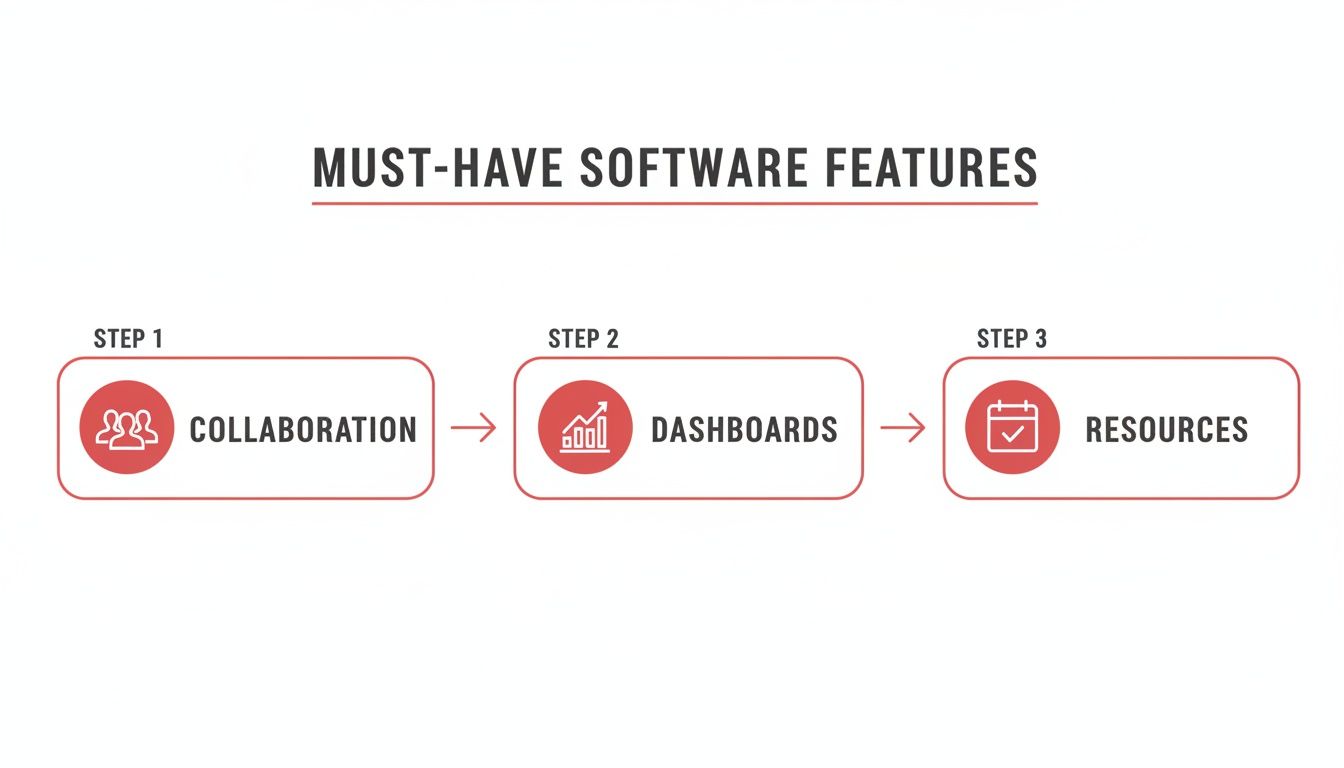
This flow shows how training should connect individual features back to the bigger goals of better teamwork and clearer oversight.
Fostering Enthusiasm and Setting Clear Guidelines
A successful adoption needs more than just a technical tutorial. You have to build a culture of support around the new tool. Start by appointing a few internal "software champions"—people who are genuinely excited about the platform and can act as the go to resource for their peers.
These champions are brilliant for answering quick questions, sharing tips in team meetings, and generally keeping the vibe positive. Their grassroots support is often far more effective than any top down mandate.
Finally, set clear usage guidelines right from the start. Document exactly where things should live and how work should be managed.
Essential Guidelines to Establish:
- Communication Protocol: Define when to use comments in the software versus Slack or email. A good rule of thumb: all task specific feedback must live on the task card itself.
- Task Status Updates: Agree on what "In Progress," "Under Review," and "Complete" actually mean for your team. Consistency is everything.
- File Naming Conventions: Standardise how you name and organise creative assets and documents. This keeps the platform searchable and prevents it from becoming a digital dumping ground.
By proactively managing the migration, the training, and the cultural shift, you turn a simple software purchase into a strategic asset that your team genuinely wants to use.
Integrating Your Software into Your Martech Stack

To really get its money's worth, your new marketing project management software needs to be more than just another tool. It should be the central nervous system of your entire tech stack. A platform that operates in isolation is just a digital silo, forcing your team into tedious manual data entry and creating a massive disconnect between effort and results.
The real goal here is to create a seamless flow of information between the tools your team lives in every single day. When your project management platform talks to your other systems, it stops being a simple to do list and becomes an intelligent hub that actually drives efficiency.
Building Essential Connections
Before you even dream of complex automations, start with the basics. These are the foundational integrations that kill off the most common and frustrating manual work. Get these right, and you'll have the bedrock of a truly connected marketing operation, ensuring data is consistent and saving countless hours.
Your first move should be linking your new software with these core platforms:
- Customer Relationship Management (CRM): Hooking into your CRM, like HubSpot, is a game-changer. Imagine a new client signs a contract, and bam —a pre-populated project board is instantly created and assigned. No more manual setup.
- Creative Tools: An integration with Adobe Creative Cloud makes life infinitely easier for design teams. It lets designers sync files straight from Photoshop or Illustrator, meaning all feedback and version control happens in the project tool, not lost in a messy email chain.
- Analytics Platforms: Connecting to Google Analytics lets you pull performance data directly into your project dashboards. This closes the loop, allowing you to draw a straight line from campaign activities to tangible results like website traffic or conversions.
An integrated martech stack is no longer a luxury; it's a necessity. When your project management software can speak to your CRM, analytics, and creative tools, you eliminate friction and empower your team to focus on strategy, not on manual data transfer.
This shift towards more connected solutions is backed by a seriously robust local industry. The UK's software development sector, which is behind many of these tools, is projected to hit a revenue of £1.1 billion in 2025 . This growth highlights the innovation driving better, more integrated platforms for marketing teams. You can get more insights on the UK software development industry at IBISWorld.
The Real Magic of Automation
Once your core integrations are solid, the real magic begins: automation. This is where you build smart workflows that stamp out repetitive tasks and give your team back their most valuable asset—time.
Think about all the little manual steps that eat up the day. Pushing an approved blog post to your CMS, pinging the social team when a new asset is ready, creating a follow up task when a client gives feedback—all of this can be automated.
For example, you could set up a workflow where completing a "Final Asset Approval" task automatically moves the file to a specific folder in your Digital Asset Management (DAM) system and sends a Slack notification to the relevant channel managers. That single automation gets rid of multiple manual steps and the risk of human error. If you want to dive deeper, our guide explains what marketing automation is and how it can boost campaigns.
Practical Automation Workflows to Implement
My advice? Start with simple, high impact automations before trying to build anything too complex. This approach builds confidence and delivers value straight away.
Here are a few practical ideas to get you started:
- Lead to Project: When a lead's status changes to "Closed-Won" in your CRM, automatically fire up a new client project using a predefined template in your project management software.
- Content to Calendar: As soon as a piece of content is marked "Approved," have the system create a new entry in your shared content calendar, complete with the publication date and relevant links.
- Feedback Loop: Set a trigger so if a client leaves a comment on a proof containing the word "urgent," it automatically bumps the task's priority and tags the project manager for an immediate look.
These automated triggers turn your platform into a proactive assistant, making sure processes are followed every single time without anyone needing to micromanage every step.
Measuring Success and Optimising for the Long Term
Getting your new marketing project management software up and running is a huge milestone, but it’s definitely not the finish line. In many ways, the real work starts now. Just having the tool in place won’t magically fix everything; you have to actively measure its impact and be willing to refine your processes to really get your money’s worth.
Without clear metrics, your new platform is little more than a fancy, expensive to do list. To prove its value and justify the investment, you need to connect its day to day use to tangible business results. This is how you show the ROI and get continued buy-in for the tool and your team’s new way of working.
Key Performance Indicators to Track
To figure out if this is all working, you need to move beyond vague feelings of being "more organised" and dig into the hard data. The right KPIs will tell you exactly how the software is improving your team's efficiency, capacity, and the quality of your output.
For starters, I’d recommend tracking these metrics:
- Campaign Cycle Time: How long does it take, on average, to get a project from the initial brief to the final sign-off? A significant drop here is solid proof that your workflows are getting slicker.
- On Time Delivery Rate: What percentage of your projects and tasks are actually hitting their original deadlines? If this number is climbing, it shows your planning is getting sharper and bottlenecks are disappearing.
- Team Capacity and Utilisation: Use the platform’s resource management features to see how much time your team is spending on actual client work versus getting bogged down in admin. This data is gold when you need to justify a new hire or reallocate resources.
Avoiding Common Long Term Pitfalls
Once your team gets comfortable with the new system, it’s easy for bad habits to creep in and slowly undo all your hard work. Knowing what to look out for means you can sidestep these issues and keep your operations running smoothly.
The biggest mistake I see teams make is treating the implementation day as the end of the project. A project management platform is a living system. It needs regular care and adjustments to keep performing at its best.
One of the most common pitfalls is overcomplicating workflows . When you discover all the shiny new features, it’s tempting to add extra steps, rules, and automations. Before you know it, a simple process becomes a bureaucratic nightmare. Make a habit of regularly reviewing your project templates with the team and asking, "Is every single step here still adding value?"
Another classic issue is forgetting about ongoing training . People leave, new team members join, and the software itself gets updated with new features. A quick quarterly refresher session can make all the difference. Use it to showcase new functionalities and reinforce best practices. This simple habit ensures the tool remains a strategic asset that grows with your business, not a relic of a past project.
Burning Questions Answered
When you're on the hunt for a new platform, a few common questions always pop up. Getting these sorted can be the difference between a smart investment and a costly mistake.
What’s the Biggest Mistake People Make When Choosing This Software?
The single biggest slip up? Picking a tool based on a flashy feature list without first taking a hard look at how your team actually works. So many businesses get dazzled by complex platforms loaded with functions they’ll never touch, which just leads to frustrated teams and wasted money.
Start by mapping out your real world, day to day problems. The goal is to find a tool that solves those, not just one that looks slick in a demo.
This keeps you focused on finding a practical asset, not an expensive distraction.
How Much Should We Realistically Budget?
The costs can swing wildly. You could be looking at around £10 per user per month for a basic tool, all the way up to £50+ per user for a heavyweight, enterprise platform. Most providers use a tiered pricing model that depends on the features you need and the number of people on your team.
But don't just fixate on the monthly subscription. When you’re pulling your budget together, you absolutely need to factor in the one off costs that can sneak up on you:
- Onboarding and setup support
- Proper team training sessions
- Custom integrations to connect with your existing marketing tech
These extras really affect the total cost, so planning for them from the get go means no nasty surprises down the line.
How Long Does It Take to Get a New PM Tool Up and Running?
This really depends on the size of your team and the complexity of your work. For a small crew of 5-10 people with straightforward projects, you can often get a basic setup sorted within a couple of weeks.
For larger agencies, however, especially if you're migrating years of complex client projects and need a lot of customisation, the process can take anywhere from one to three months . We always recommend a phased rollout—start with a small pilot team to iron out the kinks. It makes for a much smoother transition for everyone involved.
Ready to stop guessing and start building a marketing operation that just works ? The team at Superhub has the experience and tools to guide you. Find out more about our digital marketing services and how we can help.
Want This Done For You?
SuperHub helps UK brands with video, content, SEO and marketing that actually drives revenue. No vanity metrics. No bullsh*t.