Social Media Videography: Your No-Nonsense UK Business Guide
Let's be blunt: if you're a business and you’re not using video on social media, you are actively choosing to be ignored. Social media videography isn't about posting a few random clips when you feel like it. It’s the strategic creation of video content, built specifically for platforms like Instagram, TikTok, and YouTube, to grab attention and drive actual business results. It’s a non-negotiable part of the toolkit for any serious UK business today.
Why Video Is No Longer Optional for UK Businesses

The days of treating video as a ‘nice-to-have’ are well and truly over. Social media algorithms, especially on visually-driven platforms like Instagram and TikTok, are now heavily biased towards video. Static images and text-only posts just don't get the reach or engagement they once did.
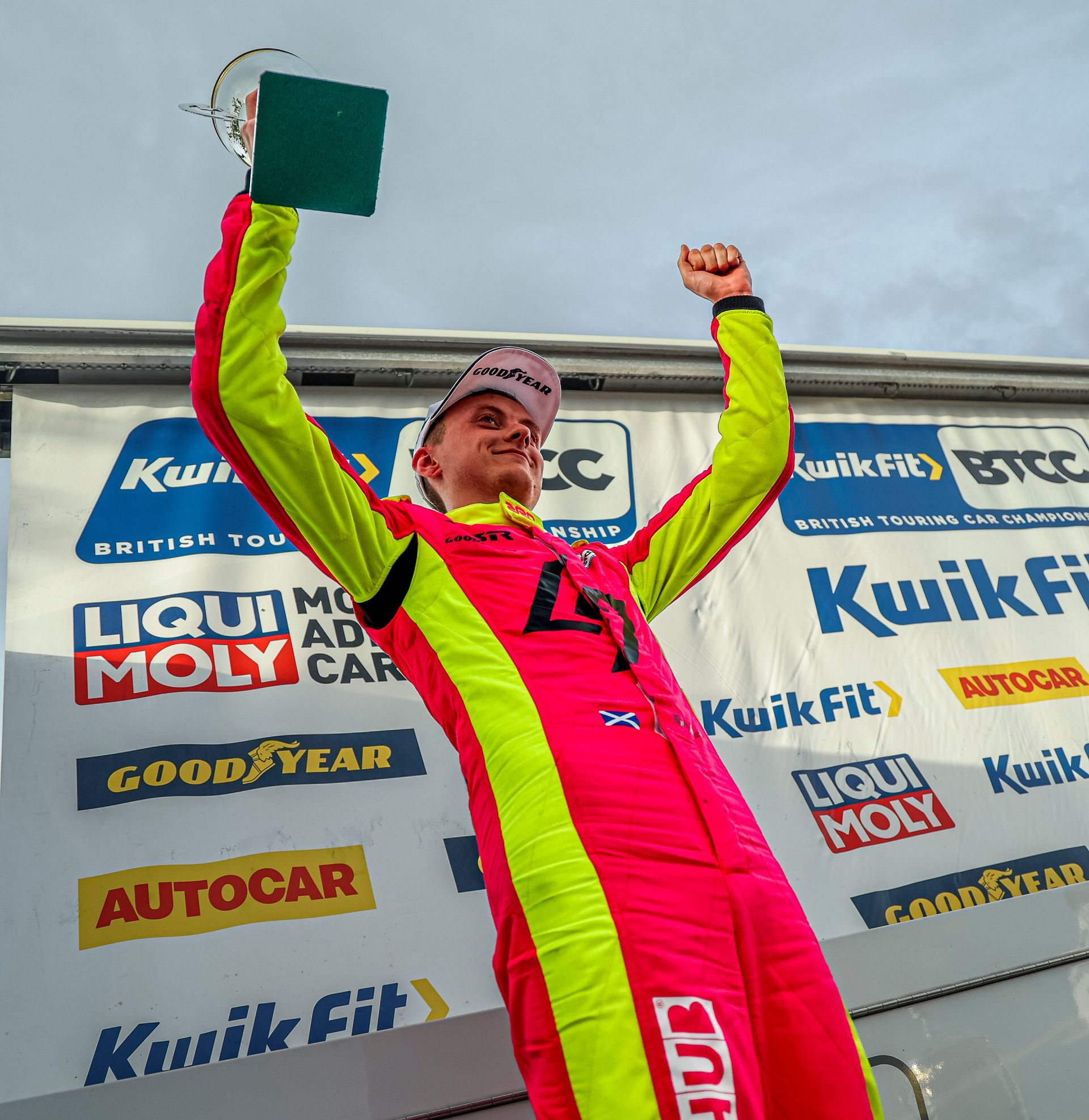
For a UK business—whether you're a motorsport team aiming for the top step at Silverstone or a tourism operator right here in our home county of Devon—this means your message is being actively suppressed if it’s not in video format.
Ignoring video is like telling the platforms you don’t want to be seen. This isn’t about chasing vanity metrics; it’s about commercial survival. Your competitors are already using video to tell their stories, show off their products, and build real relationships with the very customers you're trying to reach.
The Hard Numbers Behind Video's Dominance
This shift isn't guesswork; the data is overwhelming. Video is the undisputed king of UK social media engagement. YouTube now commands a 59.7% reach among UK internet users, putting it nearly on par with Instagram's 60% penetration.
Crucially for businesses, recent figures show YouTube views per video surged by a staggering 76% with only a tiny 4% increase in posting frequency. This proves one thing: quality trounces quantity, every single time. Britons now spend around 51 minutes daily on YouTube alone, part of a weekly average of over 18 hours consuming online video.
This trend is powered by a few simple truths:
- Platform Algorithms: Social networks want to keep users on their apps longer. Video is the best format for doing that, so their algorithms push it to more people. Simple as that.
- Audience Preference: People prefer watching to reading. It’s faster, more engaging, and far better at conveying emotion and information quickly.
- Mobile-First World: Most social media is consumed on a phone. Short, punchy, vertical videos are perfectly suited for this on-the-go viewing habit.
You don't need a Hollywood budget. In fact, overly polished, corporate videos often perform worse on social media than authentic, behind-the-scenes content that feels real. The key is to provide value and be genuine.
What This Means for Your Business
This isn’t just about making your feed look good. A solid social media videography strategy directly impacts your bottom line.
For tradespeople in the South West, it could be a simple video showing the quality of your workmanship, leading directly to more quote requests. For a BTCC team, it’s about creating the behind-the-scenes content that attracts sponsors and builds a loyal fanbase that buys merchandise. For a local Devon cafe, it’s a mouth-watering Reel of your latest special that gets people through the door on a quiet Tuesday.
Effective video connects, persuades, and converts. It builds trust far more effectively than a static advert ever could. If you're ready to start this journey, have a look at our practical guide to video production for small businesses. It's time to stop debating and start doing.
Planning Your Video Content for Maximum Impact
Great video never happens by accident. It’s the result of smart, practical planning. Skipping this pre-production stage is the fastest way to waste time and money, ending up with a hard drive full of footage that doesn't deliver a single result.
Get this foundation right, and the entire process becomes simpler, faster, and far more effective.
The first question you have to answer is brutally simple: what is this video for? Without a clear, results-focused objective, you’re just making noise. Forget vague goals like “brand awareness” and get specific.
Are you a tradesperson in Devon looking to generate three more qualified leads per week? Your objective is to create a video that showcases your skill and makes it easy for viewers to request a quote. Are you a BTCC team chasing a new sponsor? Then you need a documentary-style piece that proves your team's professionalism and audience reach.
Before you even think about a camera, define your goal in commercial terms. This single decision will guide every other choice you make.
Defining Your Core Message and Script
Once your objective is clear, you can nail down your core message. The biggest mistake brands make is trying to say everything in one video. It just doesn’t work. Pick one key idea and stick to it.
For a hospitality business in the South West, the message could be, “Our hotel is the most dog-friendly stay on the Devon coast.” For an automotive workshop, it might be, “Our used cars undergo a 150-point inspection you won't find anywhere else.”
Now, you can turn that message into a script. This doesn’t need to be a word-for-word document. In fact, for most social media content, a simple bullet-point list of talking points works far better. It sounds more natural and less corporate.
- The Hook: What will you say or show in the first three seconds to stop the scroll?
- The Problem/Story: Briefly set the scene. What challenge does your customer actually face?
- The Solution: Present your product or service as the clear, obvious answer.
- The Call to Action (CTA): Tell the viewer exactly what to do next. “Book now,” “Get a quote,” or “Visit our workshop.”
Keep your language direct and conversational. Write like you speak. Avoid jargon and corporate waffle at all costs; it’s the quickest way to lose your audience.
Creating a Simple Shot List
A shot list is your video’s recipe. It's a simple list that details every camera shot you need to capture to tell your story. This bit of planning prevents that sinking feeling in the edit suite when you realise you’ve missed a crucial piece of footage.
Your shot list doesn't need to be complicated. A simple spreadsheet or even a notebook will do the job.
| Shot # | Location / Setting | Shot Type / Angle | Action / Subject | Notes |
|---|---|---|---|---|
| 1 | Workshop Entrance | Wide Shot | Technician opening the roller door | Morning light, brand logo visible |
| 2 | Engine Bay | Close-Up | Hands working on a clean engine | Show attention to detail |
| 3 | Customer Area | Medium Shot | Team member smiling, talking to camera | Main talking point here |
| 4 | Final Product | Panning Shot | Finished car, gleaming under lights | The 'reveal' moment |
This simple document forces you to visualise the final product before you even start shooting, saving immense amounts of time on location. You'll work faster and more efficiently, and you won't be scrambling for B-roll later. There are many powerful types of videos for marketing, and each will have its own unique shot list requirements.
Budgeting and Sourcing Resources
Finally, let’s talk about money. The cost of video for social media can range from virtually nothing to tens of thousands of pounds. Your budget should be tied directly to your objective.
Don’t fall into the trap of thinking you need a Hollywood budget. Some of the most effective social media videos are shot on a smartphone. On platforms like TikTok and Instagram, authenticity often beats high production value.
Here’s a realistic breakdown of what to expect:
- DIY / Scrappy Budget (£0 - £200): Use a modern smartphone, a cheap lavalier microphone ( £20 ), and a basic tripod ( £30 ). This is perfect for daily behind-the-scenes content, Instagram Stories, and authentic-feeling Reels.
- Freelancer / Small Project Budget (£500 - £3,000): Hire a professional videographer for a day shoot and edit. This is ideal for a key promotional video, customer testimonials, or a showcase of your premises, like a stunning Devon holiday cottage.
- Agency / High-End Production (£5,000+): This is for flagship brand films, documentary-style content for motorsport sponsorship, or complex multi-location shoots. This involves a full crew, advanced equipment, and extensive post-production.
When it comes to locations and talent, start with what you already have. Your own workshop, office, or local area is often the most authentic backdrop. Your own team members are usually the best 'talent', as they bring genuine passion and knowledge to the screen.
Planning is the unglamorous but essential work that makes great video possible. Get it right, and the results will follow.
Right, this is where all that planning pays off. A successful on-location shoot isn’t about bringing a Hollywood-sized crew; it’s about getting the fundamentals right to capture great content without wasting time. Your prep work lays the foundation, but what happens on the day is what gets you the results.
The first rule of any shoot is to show up ready. Have your shot list printed or on a tablet. Make sure every battery is fully charged and that you have spares for everything – camera, lights, and especially audio gear. Nothing kills momentum like running out of power just as you’re getting the perfect take.
Essential Camera Techniques for Dynamic Shots
Static, boring shots are the fastest way to get ignored on social media. Your job is to create visual interest that stops someone mid-scroll. You don’t need a fancy camera rig for this; these principles work just as well on a smartphone.
To build a proper story, you need to mix up your shots:
- Establishing Shots: Go wide to show the environment. For a Devon hospitality venue, this could be a sweeping view of the hotel against the coastline.
- Medium Shots: These are brilliant for showing a process or interaction. Think of a technician at an automotive dealership walking a customer through a car's features.
- Close-Ups: Use these to zero in on details and emotion. It could be a close-up of a chef carefully plating a dish or the intense focus on a driver’s face before a BTCC race. These shots add real impact.
- Action Shots: This is all about capturing energy. For motorsport, that means panning shots that track the cars on the circuit, conveying pure speed. For a tradesperson, it’s the physical act of using a tool to get the job done.
The biggest giveaway of amateur video is shaky footage. Whether you use a tripod for static shots or a gimbal for smooth movement, stability is non-negotiable . It instantly makes your work look more professional.
Getting Lighting and Audio Right
Poor lighting and terrible audio will sink a great video, every single time. These two elements are often an afterthought but are genuinely more important than the camera you’re using.
For lighting, keep it simple. Natural light is your best friend – it's free and looks fantastic. Always have your subject face a window, not stand with their back to it, otherwise they’ll just be a silhouette. If you’re outside, the "golden hours" just after sunrise and before sunset give you soft, flattering light that’s miles better than the harsh midday sun.
Audio is even more important. People will forgive slightly grainy footage, but they will click away instantly if the sound is muffled, tinny, or full of background noise. The built-in mic on your camera or phone is almost never good enough for the job.
The single best upgrade you can make is a simple external microphone. A lavalier (or lapel) mic, which you can pick up for as little as £20 , clips onto your subject’s shirt and captures their voice clearly, cutting out most of the distracting background noise.
The planning stage is critical for a smooth on-location shoot, involving defining goals, storyboarding, and budgeting. This process ensures that by the time you arrive on location, every shot has a purpose, aligning directly with your commercial objectives.
Framing for Vertical Video
Let’s be clear: most social media video is watched vertically on phones. This means you need to be thinking and shooting in a 9:16 aspect ratio from the very start.
Don't just film in the old-school landscape (16:9) format and assume you can crop it in post-production. You’ll lose crucial parts of the shot and end up with clumsy, awkward framing.
Set your phone or camera to record vertically. If your camera has on-screen guides for vertical, use them. When you frame your shot, keep the most important person or action right in the centre of the frame. This makes sure that even if a platform crops the edges for different phone screens, your key message won't get cut off. For a hotel filming a room tour, this means keeping the bed or the sea view dead centre as you move through the space.
This simple shift in how you frame your shots makes your content feel completely native to platforms like Instagram Reels and TikTok, and it will have a huge impact on its performance.
Editing Raw Footage into Engaging Stories

The real magic of social media videography happens in the edit suite. This is where a pile of raw clips becomes a polished, compelling story that stops the scroll and gets your audience to act. For many, editing feels like the most daunting part of the process, but it’s just a workflow. Get it right, and you turn everyday footage into a professional asset that delivers genuine results.
Don’t think of editing as just stitching clips together. It’s storytelling. It’s the art of finding the best moments, setting the right pace, and layering in audio and visuals that bring your message to life.
A Practical Editing Workflow
Before you even think about opening your software, get organised. Create one main folder for your shoot and then make sub-folders for everything: A-roll (your main interview or piece to camera), B-roll (all the cutaway shots), audio, music, and graphics.
This small piece of housekeeping will save you a huge amount of time and frustration later. Once you're sorted, the workflow is pretty straightforward.
- The Assembly Cut: Start by dragging all your usable clips onto the timeline. Follow the rough order of your shot list to build the basic structure. Don't worry about perfecting the timing just yet; this is just about getting the bones in place.
- The Rough Cut: Now, you start trimming. Cut the start and end of each clip, removing any mistakes, pauses, or dead air. This is where you’ll start to get a real feel for the video's flow and final length.
- Layering in B-Roll: Once your main story is taking shape, it's time to add your B-roll. If you have a talking head explaining a process, layer in shots of that process happening. This visual context is what makes a video feel dynamic and keeps people watching.
The secret to a great edit is being ruthless. If a shot doesn't serve the story, cut it. Every single second has to earn its place, especially on social media where attention is fleeting.
The Art of Pacing and Music
Pacing is the rhythm of your video, and it’s what holds your viewer’s attention. A fast-paced edit with quick cuts creates a sense of energy and excitement—perfect for a motorsport highlights reel. On the other hand, a slower pace with longer, more considered shots can build emotion and intimacy, which is ideal for a profile on a local Devon artisan.
Music is your shortcut to emotion. A single track can completely transform the feel of your footage. Find something that matches the energy you're aiming for – upbeat and punchy for a promo, or subtle and atmospheric for a customer story. Just make sure you’re using royalty-free music to avoid any copyright headaches down the line.
Text Overlays and Subtitles
A huge number of people watch social media videos with the sound off. This means subtitles are no longer optional . They’re absolutely essential for both accessibility and engagement. Most modern editing software can auto-generate captions for you, which you can then quickly review and clean up.
You should also use simple text overlays to highlight key messages, introduce a speaker, or add a clear call to action at the end. Keep the text clean, bold, and leave it on screen long enough for someone to actually read it.
If you’re repurposing longer videos into shorter clips, you can also look at dedicated long-to-short video converter tools to speed up this part of the process.
Final Polish and Export
With the story locked in, it's time for the final touches that make your video look and sound professional.
- Colour Correction and Grading: At a minimum, you’ll want to do basic colour correction to make sure your brightness, contrast, and white balance are consistent across all clips. Colour grading is the next step, where you apply a creative style—maybe a warm, inviting look for a hospitality video, or a cooler, sharper feel for a tech brand.
- Audio Mixing: Balance all your audio levels. The main dialogue should always be crisp and clear, with any background music or sound effects sitting comfortably underneath it without being distracting.
Once you’re happy, it’s time to export. An MP4 file is almost always the right choice. The most important thing here is to export versions in the correct aspect ratios for each platform. You’ll need a 9:16 vertical cut for Instagram Reels, TikTok, and Stories, and probably a 16:9 or 1:1 version for feeds like LinkedIn or Facebook. This ensures all your hard work looks its best, no matter where it's seen.
Distributing and Measuring Your Video Content
Making a great video is one thing. Getting it seen by the right people and knowing what’s actually working is another. This is where most of the results come from, but it's also where many businesses fall short. It’s not about spraying content everywhere and hoping for the best; it’s about smart distribution and honest measurement.
A clever distribution plan doesn't mean filming ten separate videos. It means creating one brilliant ‘hero’ piece and then carving it up for different platforms. That documentary-style film you shot for your classic car business? That’s your goldmine.
Repurposing Content for Maximum Reach
The goal here is simple: work smarter, not harder. A single day on location can provide enough content to fuel your social media for weeks, but only if you repurpose it with intent.
Let's take a practical example for a hospitality business in Devon.
- The Hero Asset: A 3-minute film for your website and YouTube. This is your flagship piece, showcasing the hotel, the gorgeous coastal views, and genuine guest testimonials.
- The Instagram Reel: A punchy 30-second vertical cut. Use the most dynamic shots from the main film, set it to trending audio, and aim for pure discovery.
- The Facebook Post: A 60-second square video that tells a mini-story. Maybe it focuses on a specific feature, like your dog-friendly rooms or the farm-to-table restaurant.
- The LinkedIn Post: If you’re targeting corporate away-days, create a different 60-second cut. This one highlights your meeting spaces and business packages with a more professional tone.
This approach respects what users on each platform actually want to see, while squeezing every last drop of value out of your initial investment. To get the best results, always check the latest social media video specs before you export your final cuts.
Writing for Engagement and Action
Your video might be brilliant, but a lazy caption will sink it. The caption has two critical jobs: add context and drive action.
Start with a hook that stops the scroll. Then, add a bit of story that complements what's on screen—don’t just describe the visuals. Finish with a crystal-clear call to action. Tell people exactly what you want them to do next: “Click the link in our bio to book your stay,” “Send us a DM for a free quote,” or “Visit our workshop this Saturday.”
Hashtags aren't just an afterthought, either. Use a solid mix of broad, niche, and location-specific tags. For a tradesperson in the South West, that might look like #Plumber, #BoilerRepair, and #PlumberExeter.
The most overlooked element is often the thumbnail. This single image determines whether someone stops scrolling or glides right past. Choose a bright, clear, and intriguing frame that accurately represents the video's content. A compelling face or a dramatic action shot works wonders.
Tracking Metrics That Actually Matter
Vanity metrics like views and likes feel good, but they don’t pay the bills. A results-focused social media videography strategy digs deeper into the data to understand real performance and prove a return on investment.
The numbers don't lie. In the UK, video posts on social media get 48% more views than static images, but the real story is in the conversions. Businesses using video on key landing pages see 34% higher conversion rates . For B2B firms, an incredible 72% of buyers would rather watch a video about a product than read text. The proof is in the pipeline: video marketers generate 66% more qualified leads per year, directly tackling the issue many owners have with agencies that overpromise and underdeliver.
Instead of chasing likes, focus on these key performance indicators (KPIs):
-
Watch Time & Audience Retention: This is arguably the most important metric. It shows you how long people are actually watching. A high view count with a low average watch time means your intro grabbed them, but the content didn't hold their attention. Check the retention graph to see exactly where people are dropping off.
-
Click-Through Rate (CTR): This measures how many people clicked your link after watching. It’s the metric that connects your video directly to website traffic or lead forms. If the CTR is low, your call to action probably isn't strong enough.
-
Shares & Saves: These are powerful signals of value. A share is a personal endorsement to someone’s own network. A save means they see your content as a resource worth returning to. Both are far more meaningful than a passive 'like'.
-
Conversions: This is the ultimate metric. How many people who watched the video went on to buy something, fill out a form, or make a call? Use tracking links and conversion pixels to connect the dots properly.
By analysing these metrics, you stop guessing and start making data-driven decisions about what to create next. You’ll learn which topics resonate, which formats perform best, and ultimately, how to maximise the ROI of your video content. This is the difference between simply doing video and making it work for your business.
Your Social Media Video Questions Answered
We get asked the same questions time and again by UK businesses trying to get a handle on social media video. Let's cut through the noise and give you some straight answers to the most common sticking points.
How Much Should I Budget for Social Media Video?
Anyone who gives you a fixed price without knowing your goals is pulling a number out of thin air. The real answer is, it depends entirely on what you’re trying to achieve.
A DIY approach, using the phone in your pocket, can cost you nothing but your time. This is perfect for raw, behind-the-scenes content on TikTok or Instagram Stories, where a super-polished video can actually feel out of place.
For a more professional look, a freelance videographer in the UK will typically charge between £300 and £800 for a day of shooting. Remember to factor in editing costs on top of that. If you're looking at a small agency project—like a short promo video for a key campaign—you’re probably in the £1,500 - £4,000 range.
Then you have higher-end projects, like the documentary-style content we produce for motorsport teams or major tourism brands. These budgets can easily hit £10,000+ to cover a full crew, specialist gear, and days of post-production work. The key is to match the investment to the objective.
What Kit Do I Genuinely Need to Start?
You don’t need a van full of expensive equipment. To create video that actually works on social media, you only need to focus on three things.
- A Modern Smartphone: The camera on your phone is more than capable of producing fantastic results for social media. Don’t let gear snobs tell you otherwise.
- Decent Audio: This is non-negotiable. People will forgive slightly shaky visuals, but they will click away instantly if the sound is terrible. A simple lavalier (lapel) mic that plugs into your phone can cost as little as £20 and will make the single biggest difference to your quality.
- Stable Shots: Nothing screams ‘amateur’ like shaky, nausea-inducing footage. A basic tripod or a simple phone gimbal ( £30-£100 ) solves this problem immediately and makes everything look ten times more professional.
Everything else is a bonus. Forget about fancy lighting or expensive lenses for now. Get your audio clear and your video stable, and you’re already miles ahead of the competition.
Don’t get stuck in the trap of waiting for the 'perfect' gear. The best camera is the one you already have. Start creating with your phone, learn what your audience responds to, and only then invest in more kit as your skills and needs grow.
How Long Should My Videos Be?
There’s a simple rule here: make your video as long as it needs to be to tell the story, and not a second longer. The platform and the purpose dictate the length, not some magic number.
- TikTok & Instagram Reels: Keep it punchy. Aim for 15-45 seconds . You need a strong hook in the first three seconds, a quick build-up, and a clear payoff.
- Instagram & Facebook Feeds: You have a bit more breathing room here. 1-2 minutes can work well for tutorials, customer stories, or mini-documentaries.
- YouTube: This is the home of long-form. Videos between 8-15 minutes (or even longer) are often rewarded by the algorithm, but only if the content is genuinely valuable enough to hold attention.
Stop worrying about a specific time. Instead, obsess over holding your viewer's attention. If your story is perfect in 20 seconds, great. If you can keep people gripped for ten minutes, even better.
Can I Just Repost the Same Video Everywhere?
You can , but you absolutely should not . It’s a lazy tactic that signals to your audience that you don’t understand or respect the platform they’re on. A polished 16:9 video shot for YouTube just looks clunky and wrong when it’s dumped into the vertical world of TikTok.
The smart strategy is to ‘repurpose’. Think of it as creating a family of assets from a single core shoot.
- Start with your main ‘hero’ video, likely shot in a traditional 16:9 format.
- From that, create a specific 9:16 vertical cut for Reels and TikTok that feels native to the platform.
- Make a 1:1 square version for your Facebook or Instagram feed posts.
- Pull out key quotes or short, impactful clips to use as teasers or standalone posts.
This approach respects the viewer’s experience on each channel, and it will always deliver far better results than a one-size-fits-all strategy ever could.
Feeling ready to move beyond DIY but fed up with agency fluff? SuperHub creates results-focused video content for brands that demand a return on investment. If you want social media videography that works, get in touch with our Devon-based team.
Want This Done For You?
SuperHub helps UK brands with video, content, SEO and marketing that actually drives revenue. No vanity metrics. No bullsh*t.