Website Maintenance Services UK for Growing Businesses
Think of website maintenance services in the UK as a digital MOT for your business website . It’s the proactive care that prevents breakdowns, bolsters security, and makes sure every visitor has a seamless experience—protecting your online reputation and revenue.
Why Your Business Website Needs a Digital MOT
Picture this: your website is your company’s number one vehicle, working 24/7 to pull in customers and generate leads.
You’d never run a delivery van into the ground for years without a service, expecting it to perform flawlessly. Yet, so many businesses have a risky ‘set it and forget it’ attitude towards their most valuable digital asset. That’s a fast track to digital breakdowns, security breaches, sluggish performance, and ultimately, lost sales.
Professional website maintenance isn’t just about fixing things when they break. It’s a strategic, ongoing process that protects your digital shopfront. The software that powers your site—from the content management system to its plugins and themes—is constantly being updated. Without these regular updates, your site becomes an easy target. It's a hard fact that outdated components are a leading cause of security breaches worldwide.
Keeping Your Digital Engine Tuned
A well-maintained website doesn't just work better for your visitors; it performs better for search engines, too. Slow loading times are a huge turn-off. Studies show that 47% of users expect a page to load in under two seconds . Any longer, and they’re likely gone, heading straight to a competitor.
Regular maintenance keeps your site in peak condition by:
- Optimising Performance: Technicians will tune up your database, compress images, and streamline code to make sure your pages load at lightning speed.
- Ensuring Security: Constant monitoring and security scans act as your site’s bodyguard, protecting it from malware and hacking attempts to preserve your data and customer trust.
- Preventing Errors: Maintenance involves rooting out broken links, fixing functionality glitches, and smoothing over any other errors that create a frustrating user experience.
Think of a proactive maintenance plan as your website's insurance policy. It means that if a problem does crop up—from a minor glitch to a major outage—an expert team is on standby to get you back online fast, minimising downtime and protecting your business.
To make sure your website truly passes its digital MOT with flying colours, it’s worth using a comprehensive website audit checklist to pinpoint any areas that need attention. This kind of health check, combined with ongoing expert care, is what keeps your site running like a well-oiled machine.
After all, a healthy website is the foundation for strong online visibility. You can learn more about how a well-maintained site supports search engine rankings in our guide on unlocking the power of SEO. Ultimately, investing in website maintenance services in the UK is about protecting and growing a crucial, revenue-generating asset.
The Engine Room of Website Maintenance Plans
A solid maintenance plan is so much more than a to-do list. Think of it as the engine room of your website—the place where all the critical work happens to power its performance, keep it secure, and make sure it’s reliable day in, day out. These are not one-off fixes; they are the ongoing, proactive tasks that keep your digital presence in peak condition.
It’s just like owning a car. You wouldn’t dream of skipping oil changes or ignoring the check engine light, would you? The same logic applies here. Neglecting the core jobs is asking for a breakdown, and it’s usually at the worst possible moment. Understanding what goes on behind the scenes gives you a much clearer idea of what you are actually paying for with professional website maintenance services UK providers.
This image below does a great job of showing how these regular tasks form a protective shield around your online business.
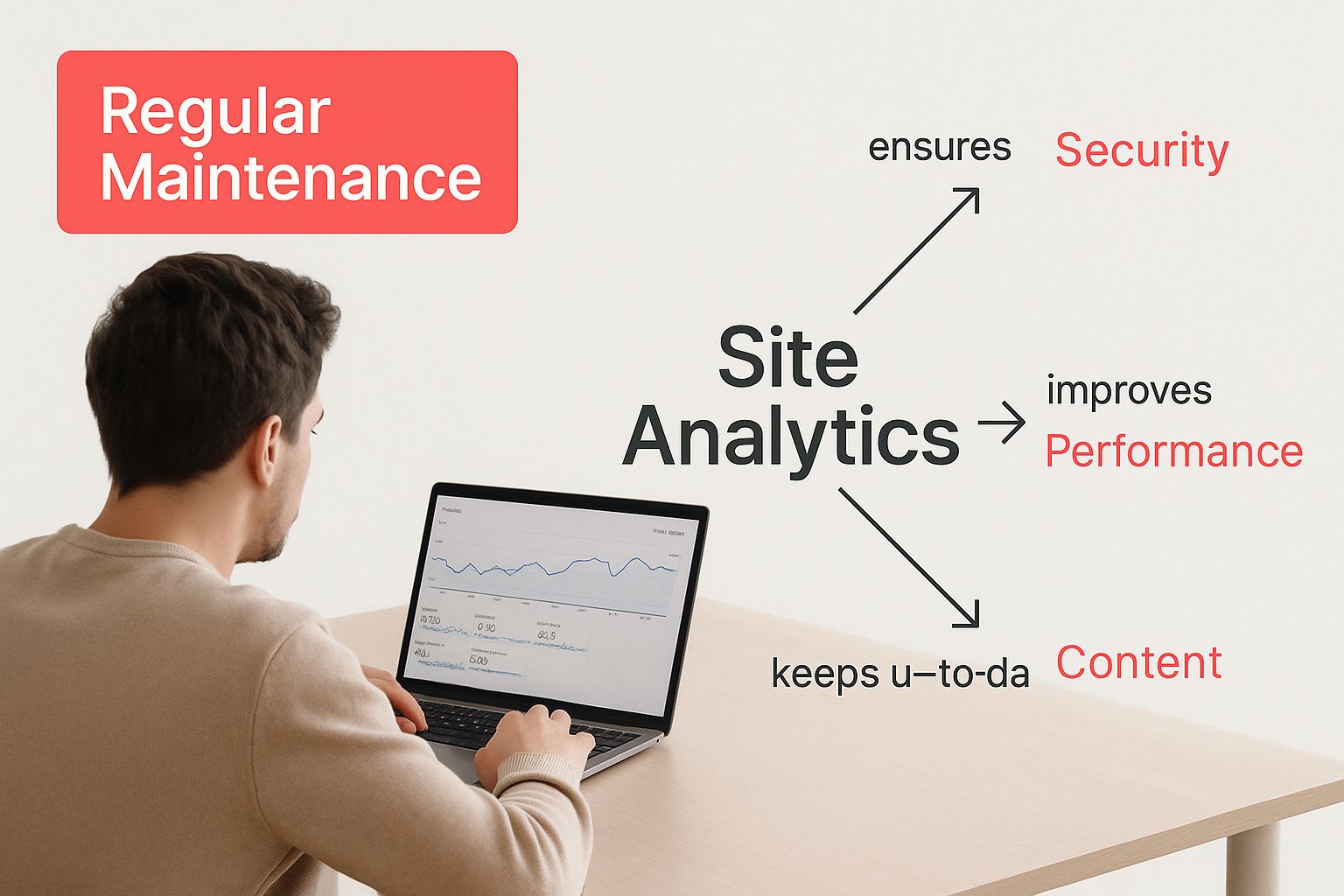
As you can see, it's that consistent, expert oversight that really makes the difference in keeping a website healthy and secure.
To give you a clearer picture, here’s a quick rundown of the essential jobs that keep your website running smoothly.
Core Website Maintenance Activities at a Glance
| Maintenance Task | Primary Purpose | Why It Is Critical for Your Business |
|---|---|---|
| Software & Plugin Updates | Security & Functionality | Closes security holes and ensures compatibility. |
| Security Monitoring & Scans | Threat Prevention | Protects your data and your customers' trust. |
| Regular Backups | Disaster Recovery | Your ultimate safety net if things go wrong. |
| Performance Optimisation | User Experience & SEO | A faster site means happier visitors and better rankings. |
These tasks form the foundation of any decent maintenance plan, each one playing a vital role in the long-term health of your site.
Essential Software Updates
The digital world moves fast. The software that runs your website—whether it’s a platform like WordPress or the collection of plugins that add functionality—is constantly being updated by developers. These updates add new features and improve performance, but most importantly, they fix security holes.
Putting off these updates is like leaving your front door unlocked. A huge percentage of website hacks happen by exploiting known issues in old software. A good maintenance service handles these updates for you, often testing them on a separate 'staging' site first to make sure they do not break anything. This careful approach means you get all the benefits without any of the headaches.
Proactive Security Monitoring
Cyber threats are not a vague possibility; they are a constant reality. A proper maintenance plan is your website’s personal security detail, always on the lookout for suspicious activity and ready to defend against it.
This is not a single action, but several layers of defence working together:
- Regular Malware Scans: These automated and manual checks hunt for any malicious code that might have slipped through the net.
- Firewall Management: A good web application firewall (WAF) is set up to block dodgy traffic before it can even get near your site.
- User Access Reviews: Every so often, it’s good practice to check who has admin access to your site and remove anyone who no longer needs it. Fewer entry points mean less risk.
A proactive security strategy is non-negotiable. It protects not only your business data but also the sensitive information of your customers, preserving the trust you have worked so hard to build.
Performance Optimisation and Backups
A slow website kills conversions. It’s as simple as that. A key part of maintenance is performance tuning, which is all about making sure your pages load in a flash for every visitor. This involves technicians optimising your database, compressing image files, and tweaking server settings to shave precious seconds off your load times.
Just as vital is a bulletproof backup strategy. This means regular, automatic backups of all your website files and databases are taken and stored safely somewhere separate from your main server. For businesses on specific platforms, there are dedicated providers offering things like Wix website maintenance services who have this process down to a fine art.
Backups are your ultimate insurance policy. If the worst happens, your site can be restored quickly, getting you back online with minimal fuss. It’s this kind of retainer-based support that provides real peace of mind, a topic we dive into in our article on why paying an agency on retainer is a great idea.
What Does Website Maintenance Actually Cost in the UK?
Let’s get straight to it. For any UK business owner, the big question is always, "How much is this going to set me back?" Diving into the world of website maintenance services UK providers can feel a bit like navigating a maze, with prices flying all over the place. But getting a grip on the costs is the first step to budgeting properly and seeing the real value in your investment.
Think of it like car insurance. A policy for a little city runaround is going to be miles cheaper than one for a high performance sports car. Your website works on the exact same principle. The cost is tied directly to how complex it is and the level of support it needs to stay in peak condition.
A simple brochure site with just a handful of pages has fewer moving parts, so keeping it running smoothly is fairly straightforward. On the flip side, a sprawling ecommerce platform with hundreds of products, intricate payment gateways, and customer accounts is a much more complicated machine demanding constant vigilance.
Key Factors That Drive the Price
When you get a quote, there are a few core factors that determine the monthly fee. Providers are not just plucking a number out of thin air; they are weighing up these elements to figure out a fair price for the work involved.
- Website Complexity: A basic five page website is far simpler to look after than a massive ecommerce store with thousands of products and payment integrations. More complexity means more things that could potentially go wrong.
- The Platform It’s Built On: Different platforms like WordPress, Shopify, or a completely custom build all have their own unique maintenance quirks and security needs.
- Level of Support: This is a big one. How much expert time is included in your plan? A package with one hour of support will naturally cost less than one offering five hours for content tweaks or technical fixes.
- Hosting and Security Demands: High traffic sites need more powerful hosting and advanced security, like dedicated firewalls, which bumps up the cost.
Realistic Price Ranges for UK Businesses
Having a clear idea of what’s typical helps you sort the good quotes from the bad. Website maintenance services in the UK cover a wide price spectrum, shaped by everything we’ve just talked about.
For the 2024/2025 period, you can expect monthly costs to start from as little as £50 for a small business site, climbing to over £3,000 for huge, custom built platforms that need continuous development work.
To give you a better idea, most small business websites fall somewhere between £50 and £150 per month. Ecommerce sites, with their extra demands, often need a budget of £100 to £300 monthly. You can find more detail on how these figures break down in this guide on the cost of website maintenance in the UK.
It's crucial to stop seeing maintenance as a cost and start seeing it as an investment in your business's stability and security. Cheaper is rarely better here; the rock bottom price might offer a false sense of security, leaving your most valuable digital asset exposed when you can least afford it.
Ultimately, the goal is to find a plan that fits your business needs and your budget like a glove. A good provider will be completely transparent about what their fees cover, helping you choose a service that gives you genuine peace of mind and delivers real, measurable value.
Decoding Your Invoice: Where Does the Money Go?
Getting an invoice for website maintenance can feel a bit abstract. You know you’re paying for something important, but what exactly are you paying for? It helps to break down the common line items to really see where every pound is being invested.
Think of it like a receipt from your garage after a car service. You don’t just see a single figure; you see separate costs for the oil, the new filter, and the mechanic’s time. A good website maintenance invoice works the same way, itemising the different parts that keep your site secure, fast, and running smoothly.
When you understand these individual costs, you can make smarter decisions. That monthly fee stops being a vague business expense and becomes a clear, tangible set of protective services for your most valuable digital asset.
Core Service Components on Your Bill
When you look at an invoice from a UK provider, you'll typically see costs spread across a few key areas. Each one tackles a specific, vital aspect of your website's health. The exact wording might change from one agency to another, but the services themselves are pretty standard.
Here’s a look at what you’re likely paying for:
- Web Hosting: This is the rent for the server space where your website’s files live. Good hosting is not just about space; it's the foundation for a fast and reliable site.
- Domain Name Renewal: An annual or biannual fee to keep ownership of your website address (your .co.uk or .com). Let this lapse, and you’re in big trouble.
- Security Services: This often bundles a few things together, like a web application firewall (WAF) to block threats, regular malware scanning software, and your SSL certificate, which encrypts data and gives you the padlock icon.
- Technical Support Retainer: This part of the fee secures you a set amount of an expert’s time each month. It's for troubleshooting problems, running updates, or making small changes to your site without a new project quote.
A Look at Typical Monthly Costs
So, what should these services actually cost? It really depends on your website’s size and complexity.
To give you a clearer picture, here’s a table breaking down the typical monthly cost ranges for individual website maintenance components here in the UK.
| Service Component | Typical Monthly Cost Range (UK) |
|---|---|
| Domain Name Renewal | £5 – £1,000+ (highly variable) |
| Web Hosting | £5 – £30+ |
| Security Services (WAF, Scans) | £150 – £800 |
| Performance Optimisation | £100 – £800 |
| Technical Support Retainer | £100 – £500 |
| Total (Illustrative) | £360 – £2,930+ |
As you can see, costs can vary dramatically. A simple blog has very different needs to a large ecommerce site handling thousands of transactions. For a deeper analysis of how these figures stack up, you can explore detailed website maintenance cost breakdowns.
By itemising these costs, you see the comprehensive protection and support that professional maintenance provides. It is not just one service, but a suite of essential safeguards working together.
How to Choose the Right UK Maintenance Partner
Choosing an agency to look after your website is a big deal. It’s your most important digital asset, the front door to your business, so you can’t afford to get this wrong. You’re not just looking for a contractor; you’re looking for a partner who feels like a dedicated part of your team.
The best place to start? Sift through their client list and read what people are saying. Look for solid, long term relationships and case studies that show real, tangible results. This is not about flashy design work—it’s about finding solid proof of reliability, responsiveness, and genuine technical know-how.

Key Questions to Ask Potential Providers
Before you even think about signing a contract, you need to ask some direct questions. How they answer will tell you everything you need to know about their process and how much they value their clients. Getting this clarity now saves you from massive headaches down the road.
Here are a few non-negotiables to ask any potential partner offering website maintenance services in the UK :
- What are your guaranteed response times? Get specifics. Ask for clear hours for standard queries and, more importantly, for emergencies.
- What’s your disaster recovery plan? You need to know exactly what happens if your site gets hacked or simply disappears offline. What’s the plan, step by step?
- Can you show me a sample monthly report? A good report is more than a checklist of updates. It should give you insights into your site’s performance and security posture.
- Do you have real experience with my platform? Being a WordPress wizard is very different from understanding Shopify or a complex custom built site. Make sure their skills are a perfect match for your tech.
Verifying Their Tech Skills and Support Process
Beyond their portfolio, you need to get a feel for their technical chops. Do they have a clear, non-negotiable process for testing updates on a staging server before they go live? This one simple step prevents new updates from breaking your live site—a common and incredibly costly mistake.
Communication is just as crucial. You should have a dedicated person to talk to and a proper system for logging support requests. A vague promise like "we are always here for you" just does not cut it. You need a structured support process you can actually depend on.
Choosing a partner is as much about their process as it is about their technical skills. A transparent, organised agency will provide clear service level agreements (SLAs) that outline their commitments, ensuring there are no grey areas.
The UK market has a huge range of pricing, which all comes down to how complex your website is and the level of support you need. Industry analysis for 2025 shows monthly retainers can go from under £100 to well over £1,500 . This really highlights why it’s so important to find a service that actually fits your business needs without overpaying.
Ultimately, the right partner gives you the confidence to get back to running your business, knowing your website is in safe hands. If you’re still weighing up the options, our guide on deciding between DIY or professional website management can help bring some more clarity.
Your Website Maintenance Questions Answered
It’s completely normal to have a few questions rattling around even after getting the lowdown on the benefits and costs. Making an investment in professional care for your website is a big decision, and you are right to want all the facts before jumping in.
To help clear things up, we have put together answers to the most common questions we hear from UK business owners. Think of this as your final checklist before you move forward with confidence.
Can I Just Do My Own Website Maintenance?
Technically, yes, you can. For a very basic site, it is possible to handle the essentials yourself. But the real question is, should you? For a business owner, it’s rarely a good use of your time.
Professionals bring years of experience in security, performance, and problem solving that’s tough to pick up on the fly. Every hour you spend trying to figure out technical updates or fix a mysterious bug is an hour not spent on growing your business.
Plus, one wrong click during a manual update can take your entire site offline. That means lost sales and a hit to your reputation. An expert gets it done safely and efficiently, so you do not have to think about it. Check out out Reputation Management Services Here
How Often Does My Website Actually Need Maintenance?
This really depends on how complex your site is and how much traffic it gets. Think of it this way: a quiet country lane does not need the same level of upkeep as the M25. A busy ecommerce store with constant transactions needs a lot more attention than a simple "brochure" website.
But as a solid starting point, here’s a typical schedule:
- Weekly Checks: This is essential for spotting and applying critical security updates to your core software, theme, and plugins.
- Daily Monitoring: Automated security scans and backups should be running every single day. This catches threats early and means you always have a fresh copy of your site ready to restore.
- Monthly Reviews: Once a month, a full health check is in order. This includes performance tests and digging into error logs to make sure everything is running smoothly.
A good UK provider won’t give you a one size fits all plan. They’ll recommend a schedule that fits your business needs and lay it all out in a service level agreement (SLA).
What’s the Difference Between Maintenance and SEO?
This is a really common question, and the distinction is important. Website maintenance is all about the technical health and security of your site. It’s the behind the scenes work that keeps the engine running perfectly—fast, secure, and free of errors.
Search Engine Optimisation (SEO), on the other hand, is about improving your site’s content and authority so you rank higher on Google. While a well-maintained site is the perfect foundation for good SEO, the maintenance service itself does not include writing blog posts or building links. They are two separate, but very much related, disciplines.
"Think of maintenance as building a structurally sound, lightning-fast race car. SEO is the skilled driver who gets it to the front of the grid. You need both to win."
What Happens if My Site Gets Hacked While on a Plan?
This is one of the most important questions you can ask any potential provider. Any reputable agency offering website maintenance services in the UK will have a disaster recovery process locked and loaded. Their main job is to stop it from happening in the first place, but how they react in a crisis is where they really prove their worth.
Typically, the process involves finding and killing the malware, restoring your site from a clean backup, and then hardening the security to block future attacks. It’s this quick, expert response that keeps downtime to a minimum and protects your business from any further damage.
Navigating the world of website maintenance can feel like a minefield, but it doesn't have to be. At Superhub , we provide clear, reliable website maintenance services designed to keep your digital assets secure and performing at their absolute best.
Want This Done For You?
SuperHub helps UK brands with video, content, SEO and marketing that actually drives revenue. No vanity metrics. No bullsh*t.